It’s 9:40pm, and your thermometer says 102.3. Tomorrow was supposed to be day three of transformations in Algebra II, the day the class moves from graphing f(x) to figuring out why f(x) \+ k always produces a line that looks the same but sits somewhere else. That lesson lives in your head, which is of no use to the sub you need tomorrow.
The front office needs sub plans by 6am, and it’s probably the last thing you feel like writing right now, but you have no choice.
The Difference Between a Sub Plan and a Lesson Plan
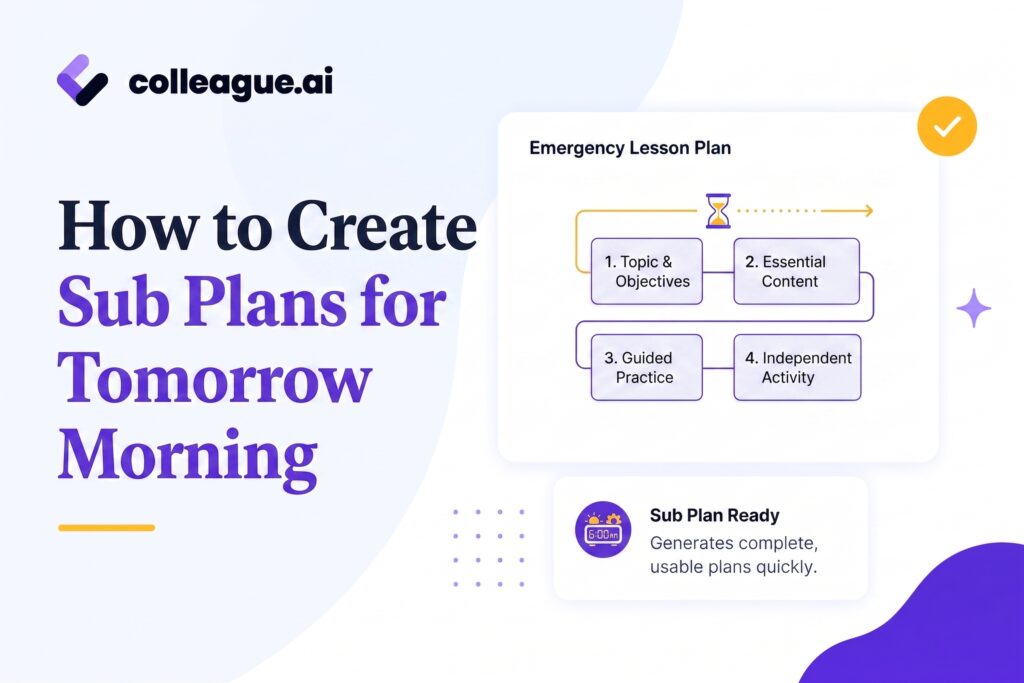
A sub plan is a different request than a lesson plan. Whoever your substitute teacher will be lacks an enormous amount of context for your class, curriculum and students. They weren't in the class yesterday and (hopefully) won’t be in the room next week, so the plan you provide essentially has to work without you. Good sub plans are:
Standards-aligned
Built from the actual standard the class is working toward, HSF.BF.B.3 here, not a worksheet pulled at random because it's adjacent to the topic.
Stranger-proof
Written for someone who has never seen this class. No “students know the routine” or “pick up where we left off.” Every instruction assumes zero context.
Time-blocked
Matched to the real bell schedule, minute by minute, not a loose “spend some time on this.”
Self-contained
Materials, answer keys, and a backup activity included in the same document. Nothing the sub has to hunt for or improvise.
Colleague AI can build the plan from what you already have on hand: the standard, the day’s place in the unit, what you covered already, where your students are, their strengths and weaknesses, and more. What comes back is ready to send, not a shell that still needs filling in from a fever.
How to Build a Sub Plan, Step by Step, in Colleague AI
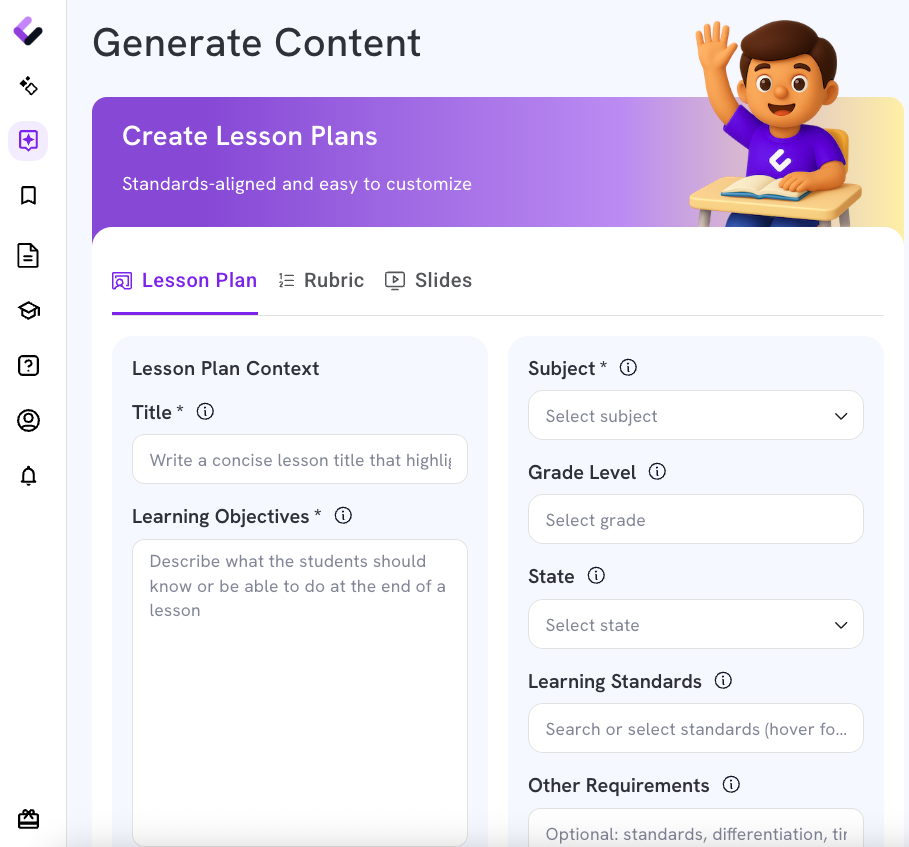
Step 1: Choose “generate lesson plan”
From the lesson builder, type in “sub plan” in the “Other Requirements” field, then the specific period.
 <
<Step 2: Enter the standard for the lesson
Standard HSF.BF.B.3. Context: day 3 of the linear transformations unit, students have graphed f(x) and f(x) + k separately but haven’t yet connected the two.
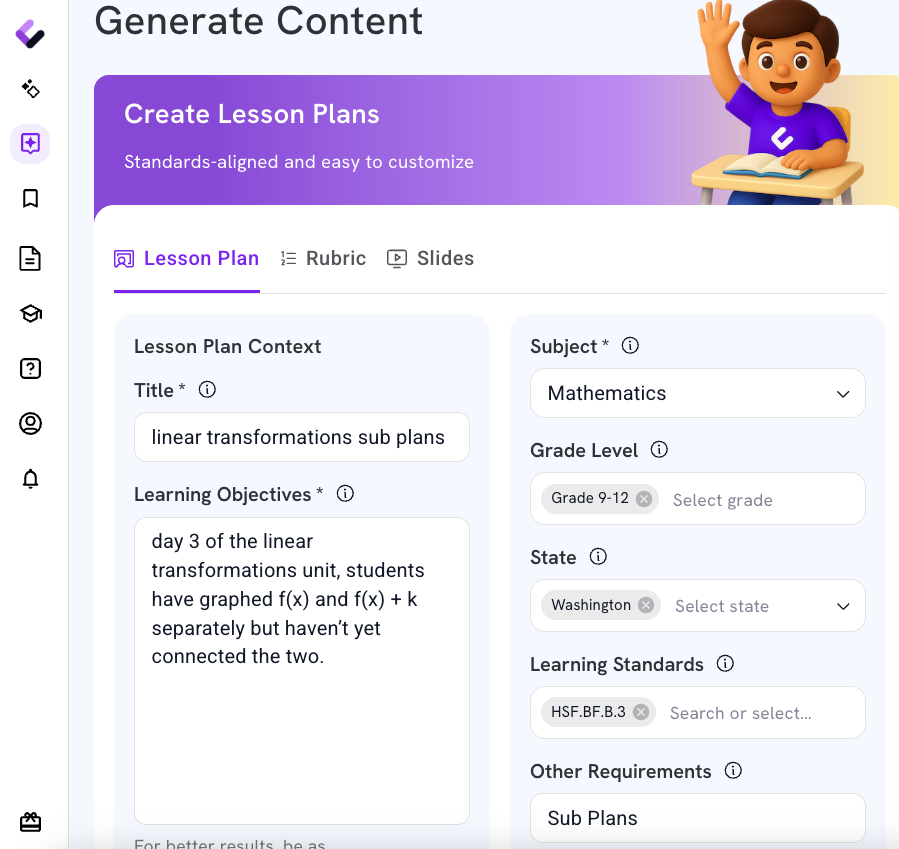
Step 3: Add information your sub needs to know in “Other Requirements”
Example Room 214. Seating chart is taped to the file cabinet by the door. Two students (seats 4 and 12) have standing permission for headphones during independent work, that's not a discipline flag. Bell rings at 9:47, tardy sweep at 9:52, fire drill route is posted by the light switch."
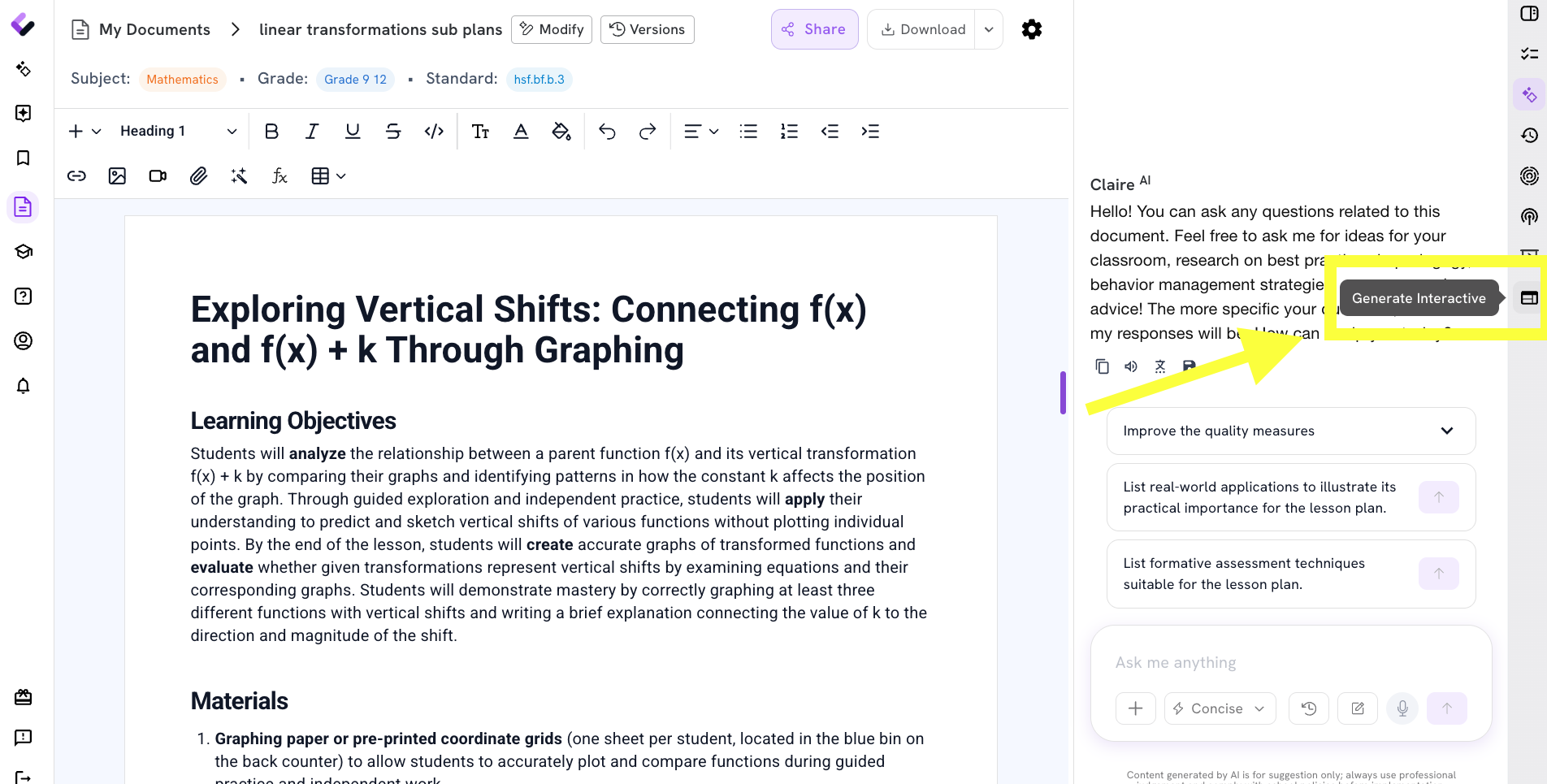
Step 4: Generate activities, including a backup activity
Turn the lesson plan into one or multiple activities - generate interactive and choose worksheet (we’re not ready for a quiz or assessment yet!)
You can also generate a second activity tied to the same standard, in case the class moves faster than expected or the first activity runs short. Nothing invented on the spot, standing at the front of someone else's classroom.
Step 5: Edit anything that doesn’t match the day
Swap the warm-up if there’s an assembly. Add a line about the new student in seat 9. It’s still the teacher’s plan; Colleague AI built the draft, not the decisions in it.
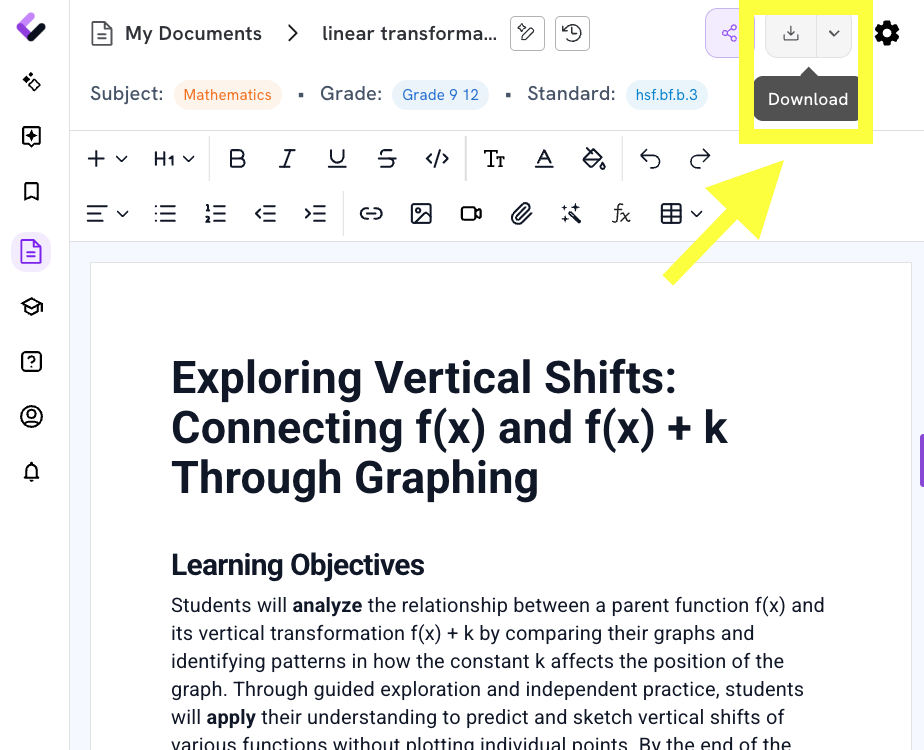
Step 6: Export, Save, and Send
PDF, attached to the email, sent to the front office and the sub folder both. Before the tea’s finished steeping.
Also Ready to Go: A Rubric for the Practice Set
The practice set from Step 4 still needs to get graded, by a sub who has never seen this class’s work before and won’t know what “meets expectations” looks like on sight. A quick rubric solves that in a few steps, same session.
Step 1: In Generate Content, Click The “Rubric” Tab
Same lesson builder, one tab over.
Step 2: Add Context
Standard HSF.BF.B.3, Algebra II.
Example "Students are given pairs of linear functions, one written as a vertical shift of the other, and have to state whether the lines are parallel and justify it using the transformation rule."
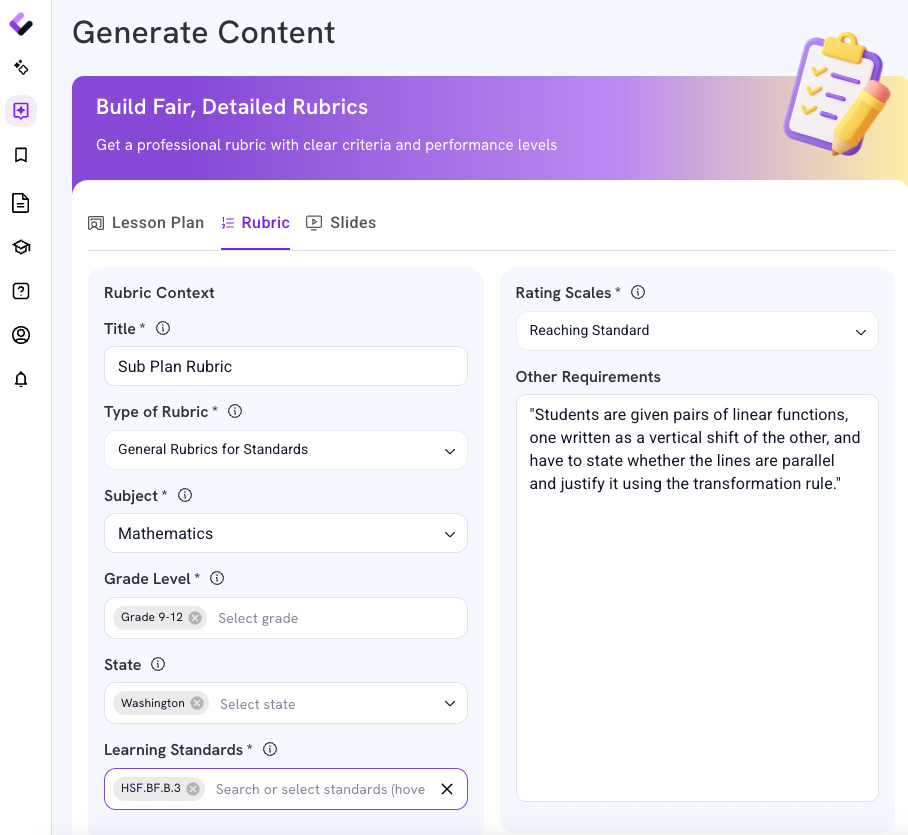
Step 3: Review what comes back
Do you agree or disagree? Make any changes to adjust the rubric to your liking.
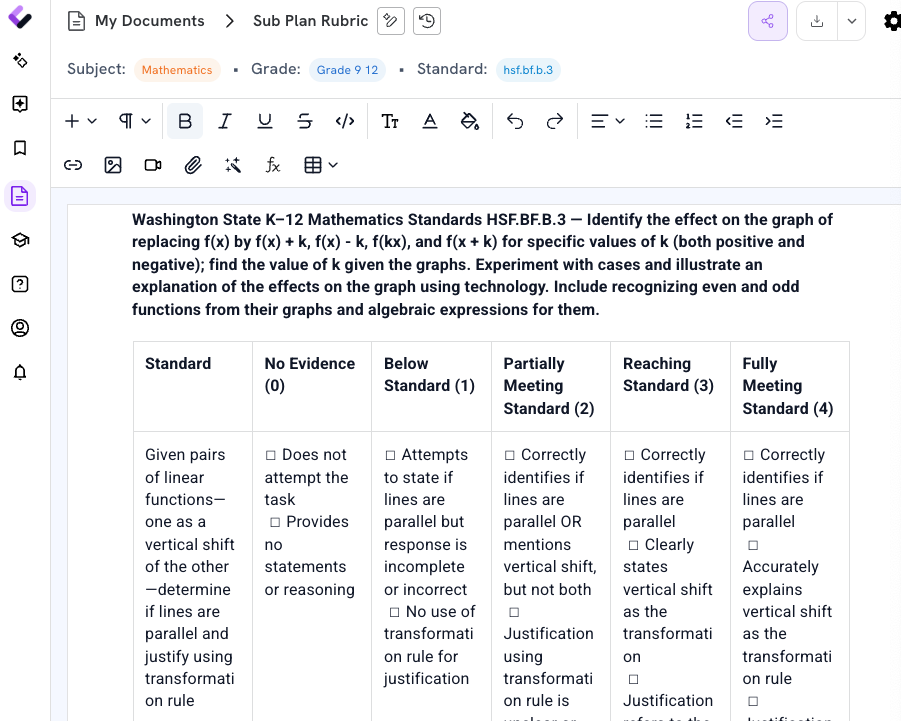
Step 4: Export it with the sub plan
Same sub packet sent to the office, second attachment in your email. The sub scores the exit ticket against it in the last five minutes of class, no separate email needed tomorrow to ask what to do with the stack of papers.
What’s In Hand Before the Kettle Boils
A full sub plan, minute by minute, tied to the actual standard the class is working toward.
Instructions specific enough for someone who has never set foot in Room 214 or doesn’t have background knowledge in your content area.
A backup activity, already built, for a period that runs short or long.
A rubric for the day’s practice set, so grading doesn’t wait for you to come back.
One PDF, ready to send to the front office and the sub folder.
Whether the sub plan actually fits this class on this day, whether the backup activity is worth the extra five minutes, whether seat 12 really is having a rough week, that’s still a call only the teacher makes. Colleague AI’s job is making sure that call gets made once, at 9:40pm with a fever and the kettle just starting to whistle, instead of twice: once tonight in a rush, and again in three weeks when the plan turns out not to have covered what the sub actually needed to know.