It’s Week 2. You’re learning names, adjusting lessons, answering family emails, and figuring out why third period has collectively decided that pencils are optional.
Then your principal sends the reminder:
Back-to-school night is in 10 days. Please prepare a family-facing overview of your curriculum.
You already have the information, but it’s spread across your syllabus, unit plans, standards documents, grading policies, and the slides you updated at 11:42 pm in August.
The challenge is turning all of that into something families can understand quickly. The overview needs to feel welcoming, explain what students will learn, clarify how families can support them, and work for readers with different levels of familiarity with school language.
It also needs to be ready for translation.
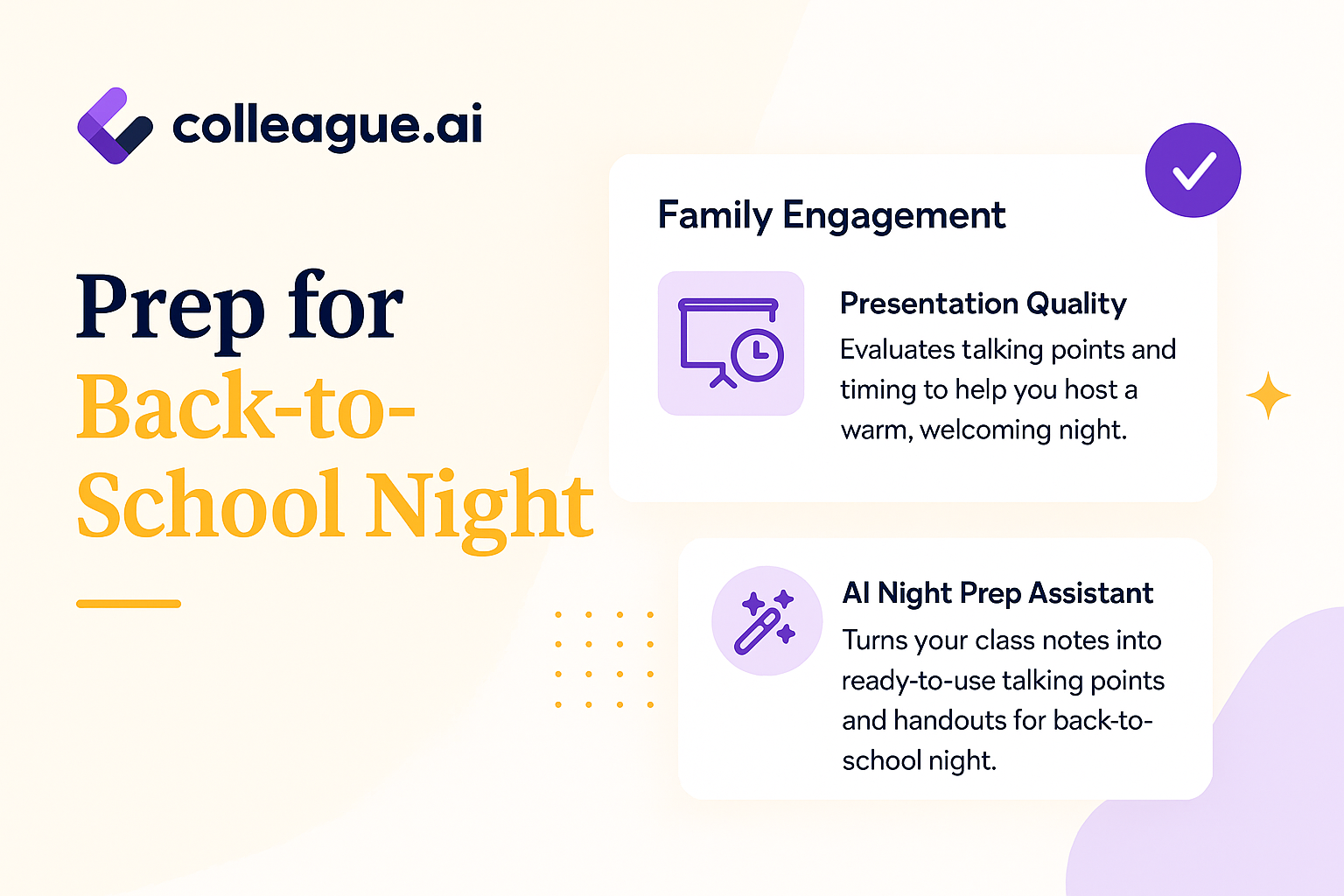
Colleague AI helps teachers turn their existing course materials into a clear family-facing curriculum overview while keeping the teacher in charge of every decision.
Communicating in Parent Terminology
A curriculum overview written for colleagues often includes language such as:
-
Standards-based instruction
-
Formative and summative assessment
-
Source analysis
-
Standards-aligned discourse
-
Evidence-based written responses
-
Tiered instructional supports
Educators understand those terms. Many families have never been given a clear explanation of them.
A useful back-to-school night overview answers the questions families are already carrying:
-
What will my child learn?
-
What will class feel like each day?
-
How will I know how my child is doing?
-
What can I do at home?
-
How should I contact the teacher?
-
What happens when my child needs more support?
The teacher already knows the answers. Colleague AI helps organize that knowledge into language families can use.
How to Prepare for Back-to-School Night
Step 1: Choose “Generate Presentation”
Start by uploading the documents that represent the course as it actually exists.
You might include:
-
Your syllabus
-
Your first-quarter unit plan
-
Priority standards
-
Your grading or feedback policy
-
A family communication template
-
Existing back-to-school night slides
You don’t need a polished source document. Drafts, planning notes, and existing curriculum materials give Colleague AI the context it needs to create a strong first version.
Now move on to your prompt.
Step 2: Describe the Audience and Purpose
Give Colleague AI clear direction about the families who will read the overview.
A teacher could enter:
Create a curriculum overview for families attending back-to-school night. Use the attached syllabus, unit plan, standards, and grading policy.
The overview should:
-
Welcome families warmly.
-
Explain what students will learn during the first semester.
-
Describe what students will do during class.
-
Explain grading and feedback in plain language.
-
Give families three practical ways to support learning at home.
-
Use short paragraphs, clear headings, and familiar language.
-
Avoid unexplained education terms.
-
Keep the reading level accessible for a broad family audience.
-
Create a final section explaining how families can contact me.
-
Format the document so it can be translated accurately.
That last instruction matters. Translation works better when the original document uses direct sentences, consistent terms, and clear headings.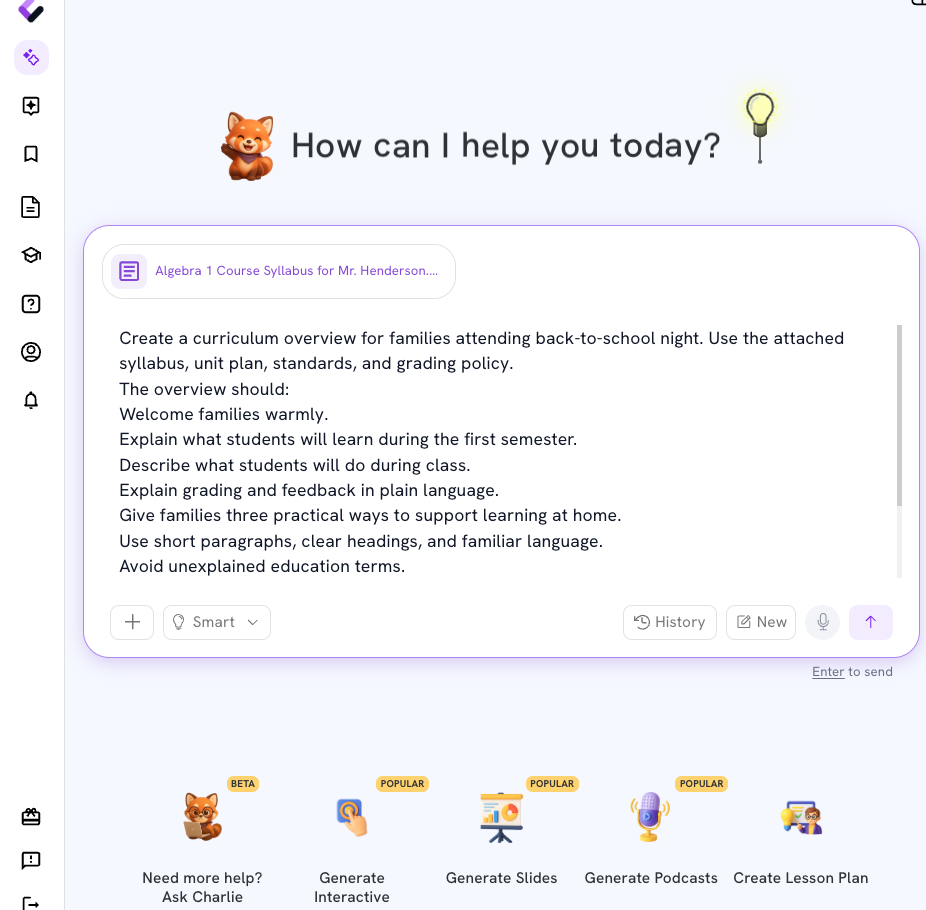
Step 3: Review the First Draft
Colleague AI creates a draft grounded in the teacher’s materials.
Here’s an example of what the output might look like for a middle school social studies course:
Welcome to 6th Grade Social Studies
This year, students will study how geography, culture, government, and resources shape people’s lives. Students will learn about societies from the past and present while building skills they can use across subjects.
What Students Will Learn
During the first semester, students will:
-
Use maps and geographic information to study different regions.
-
Examine primary and secondary sources.
-
Compare how communities organize government and resources.
-
Explain how historical events affect people and places.
-
Support their ideas with evidence from texts, maps, images, and class discussions.
What Class Will Look Like
Students will read, write, discuss, and work with classmates. They will study maps, photographs, short texts, artifacts, and historical accounts.
Some lessons will begin with a question or problem. Students will gather evidence, compare ideas, and explain their thinking.
How Students Will Receive Feedback
Students will receive feedback during daily classwork, discussions, short written responses, projects, and assessments.
Feedback will help students understand:
-
What they already understand
-
Where their thinking needs more detail
-
Which skill they should practice next
Families can check our class platform for assignments, feedback, and upcoming due dates.
How Families Can Support Learning
Families can support students by:
-
Asking, “What did you learn about today?”
-
Asking students to explain one piece of evidence they used in class.
-
Checking the class platform together once each week.
Students may also connect class topics to family stories, community experiences, current events, books, or places they have visited.
When a Student Needs Support
Students will have opportunities to ask questions, revise work, practice skills, and receive additional support.
Families are encouraged to contact me when they have questions or notice a concern. Early communication helps us work together.
Staying in Contact
The best way to reach me is through [EMAIL OR COMMUNICATION PLATFORM].
I usually respond within [RESPONSE WINDOW]. Translation support is available for family communication.
This is a usable first draft. The teacher still reviews every section for accuracy, tone, district expectations, and classroom-specific details.
AI provides the structure and language. The teacher provides the judgment.
Step 4: Check for Accessible Language
The first draft may still include terms that feel ordinary to educators and unclear to families.
A teacher can ask Colleague AI to revise specific passages:
Review this curriculum overview for accessibility. Replace school-specific language with familiar wording. Define any term that families may not know. Keep the tone respectful and warm. Preserve all information about student learning, grading, support, and communication.
For example:
Original wording:
Students will complete formative assessments throughout each unit.
Family-facing revision:
Students will complete short activities during each unit so I can see what they understand and what we should practice next.
The meaning stays accurate. The family receives a clearer picture of what will happen.
Step 5: Create a Translation-Ready Version
Before translating the overview, ask Colleague AI to prepare a clean source version.
Use a prompt such as:
Prepare this document for translation. Keep sentences short and direct. Use the same term for each repeated idea. Remove idioms, abbreviations, jokes, and culture-specific phrases that may be confusing when translated. Keep headings, numbered lists, dates, contact information, and course names clearly labeled.
Colleague AI can then produce a version with:
-
Short sentences
-
Consistent vocabulary
-
Clearly separated sections
-
Minimal school jargon
-
Contact details in a fixed location
-
Names and course titles marked for review
A teacher can use that source version to create translated copies based on the languages used by families in the class or district.
Teachers should review translated materials according to district procedures, especially where bilingual staff or professional translation services are available. Family communication carries relationships, expectations, and meaning. Human review protects all three.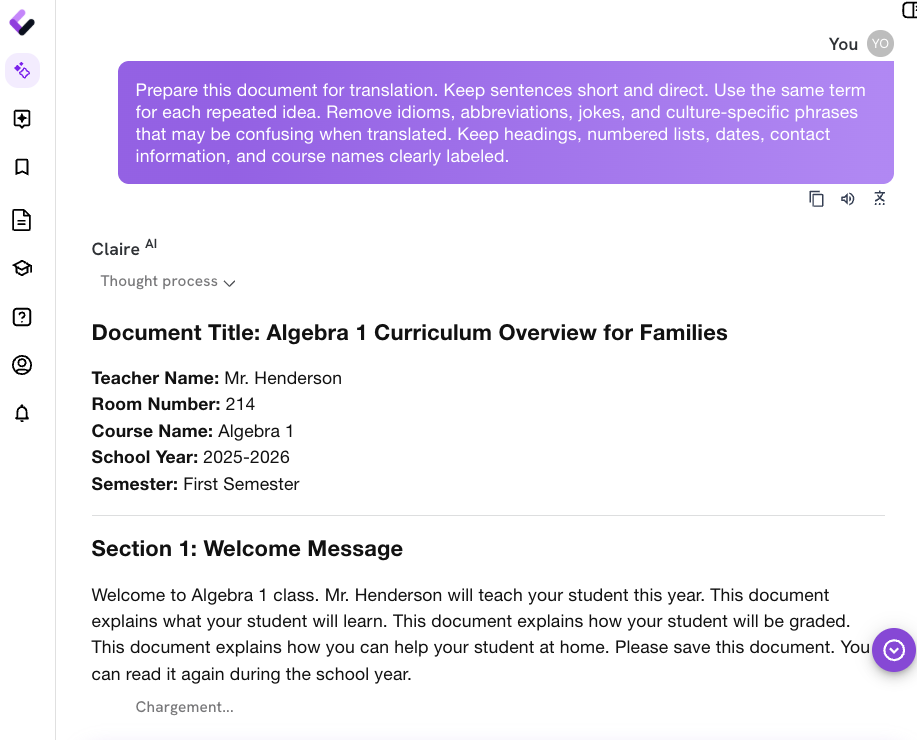
A Back-to-School Family Presentation in Less Than 10 Minutes
Within one workflow, the teacher has:
-
A curriculum overview
-
Language written for families rather than district documents
-
A clear explanation of learning goals
-
A plain-language description of grading and feedback
-
Practical suggestions for supporting learning at home
-
A version structured for translation
-
Editable copy for slides, handouts, email, or the class website
The teacher can also ask Colleague AI to adapt the same content into:
-
A family email
-
A half-page handout
-
A course website introduction
-
A spoken presentation outline
-
A list of likely family questions with draft responses
The core information stays consistent across formats, which reduces confusion for families and gives the teacher a reliable starting point for each communication.