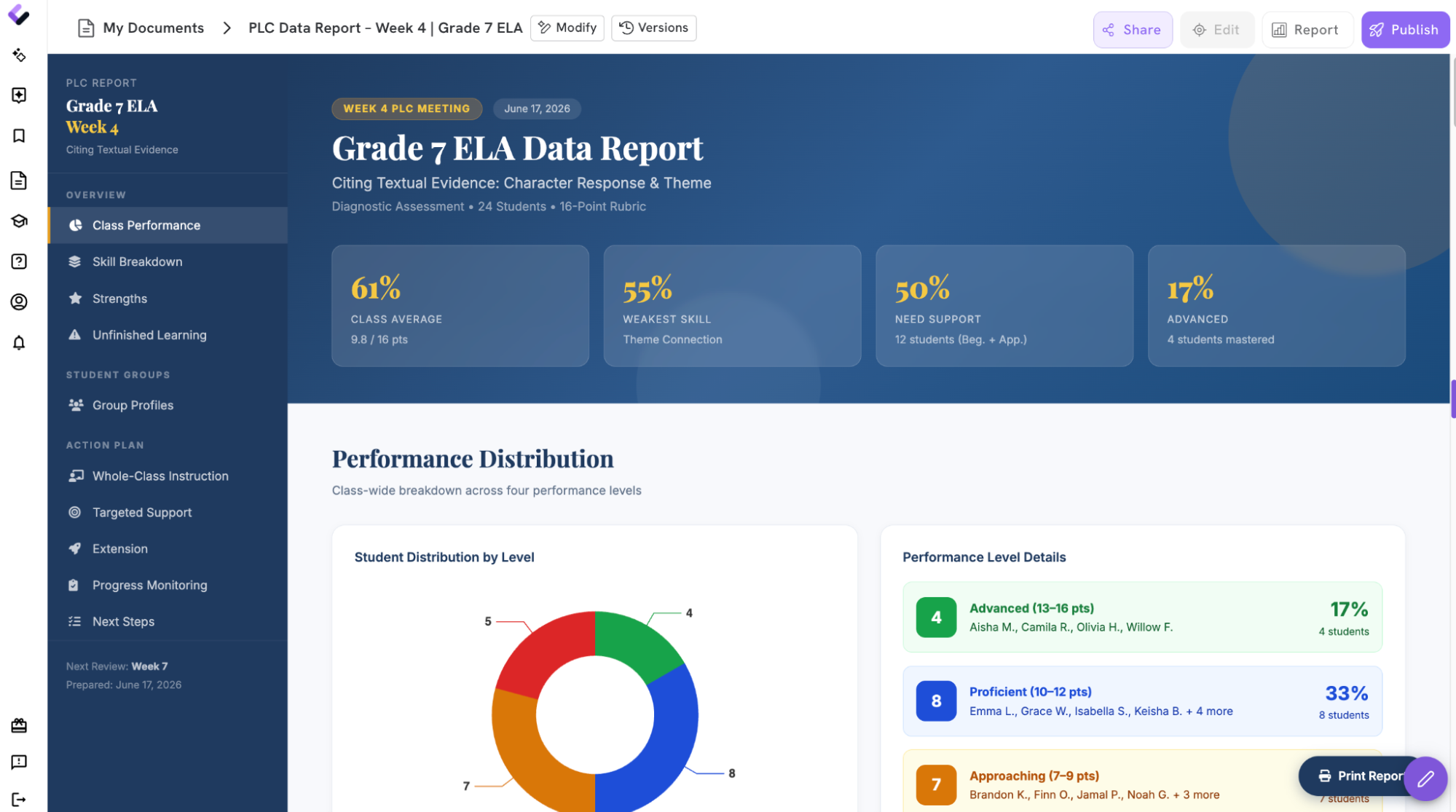

It’s Thursday night, and your PLC meeting is tomorrow.
You are yet to combine assessment scores, student work in another, and your half-finished notes about the strategies you tried. You know your students well enough to say, “They struggled with the last part,” but your PLC needs something more useful:
-
Which students have demonstrated the standard?
-
Where is the class getting stuck?
-
Which instructional strategies appear to be helping?
-
What should change in the next unit?
-
Which students need additional support, practice, or extension?
A useful PLC data report connects student evidence to instructional decisions.
Colleague AI helps teachers organize those connections while keeping professional judgment where it belongs, with the educators who know the students and taught the lessons.
The Week 4 problem: You have data, and it hasn’t become a plan yet
By the fourth week of school, most teachers have collected plenty of information.
There may be an initial diagnostic, daily exit tickets, a quiz, written responses, participation notes, and observations from small-group work. Each source offers part of the story. Finding the pattern across them takes focused analysis at a point in the school year when focused time is already scarce.
A typical PLC template asks teachers to report:
-
Student performance trends
-
Standards or skills requiring additional instruction
-
Strategies already attempted
-
Student groups needing targeted support
-
Adjustments planned for the next unit
The challenge sits in moving from entries in a gradebook to claims you can support with evidence.
“Students struggled with citing evidence” does not have sufficient detail or specifics to drive a conversation about what the problem might be and how to address it.
“16 of 28 students selected relevant evidence, while 10 clearly explained how the evidence supported their reasoning” gives the team an instructional problem it can act on.
What Colleague AI does with your classroom evidence
Colleague AI works from the data, instructional materials, and context the teacher provides. It can organize performance trends, connect findings to standards, summarize strategies already used, and draft next-step recommendations for teacher review.
The resulting report gives a PLC a shared starting point for discussion. Teachers can correct the interpretation, add classroom context, and decide which adjustments fit their students.
A sample PLC data report
Consider a sixth-grade ELA teacher preparing to discuss a standards-aligned written response assessment.
The teacher provides:
-
Assessment results for 28 students
-
The scoring rubric
-
The standard assessed
-
Three anonymized student responses
-
Notes from two small-group lessons
-
Exit-ticket results from the following day
Colleague AI organizes the information into a report like this:
Student performance trends
Standard assessed: Cite relevant textual evidence and explain how it supports an analysis.
-
21 of 28 students identified the central idea accurately.
-
16 of 28 students selected evidence directly related to the central idea.
-
10 of 28 students explained how their evidence supported their reasoning.
-
Five students included evidence without connecting it to their claim.
-
Three students wrote accurate verbal explanations during small-group discussion and submitted incomplete written responses.
Primary classwide pattern: Students show stronger understanding when identifying ideas and selecting evidence. Written reasoning remains the largest shared area for additional instruction.
Strategies tried
-
The teacher modeled a complete claim-evidence-reasoning response.
-
Students color-coded the claim, evidence, and explanation in a sample paragraph.
-
A small group practiced oral explanations before writing.
-
Students used the sentence frame: “This evidence supports my claim because…”
-
The class reviewed one anonymous response and revised its explanation together.
Evidence of response to instruction
-
91 of the 12 students who used the sentence frame completed an explanation.
-
Four students removed the sentence frame independently and maintained a clear reasoning structure.
-
Students in the oral-rehearsal group produced more complete explanations during the second exit ticket.
-
Two students continued to select loosely related evidence and need additional modeling with shorter texts.
Recommended next-unit adjustments
-
Include one brief evidence-explanation task during each of the first three lessons.
-
Continue oral rehearsal as an option before independent writing.
-
Use two contrasting examples so students can compare relevant and loosely related evidence.
-
Create a temporary support group for the five students who cited evidence without explaining it.
-
Offer an extension task asking students to evaluate which of two evidence choices provides stronger support.
-
Collect a three-question check before the next full written response.
That report gives the PLC something concrete to examine. The discussion can move toward grouping, shared instructional routines, and common checks for understanding.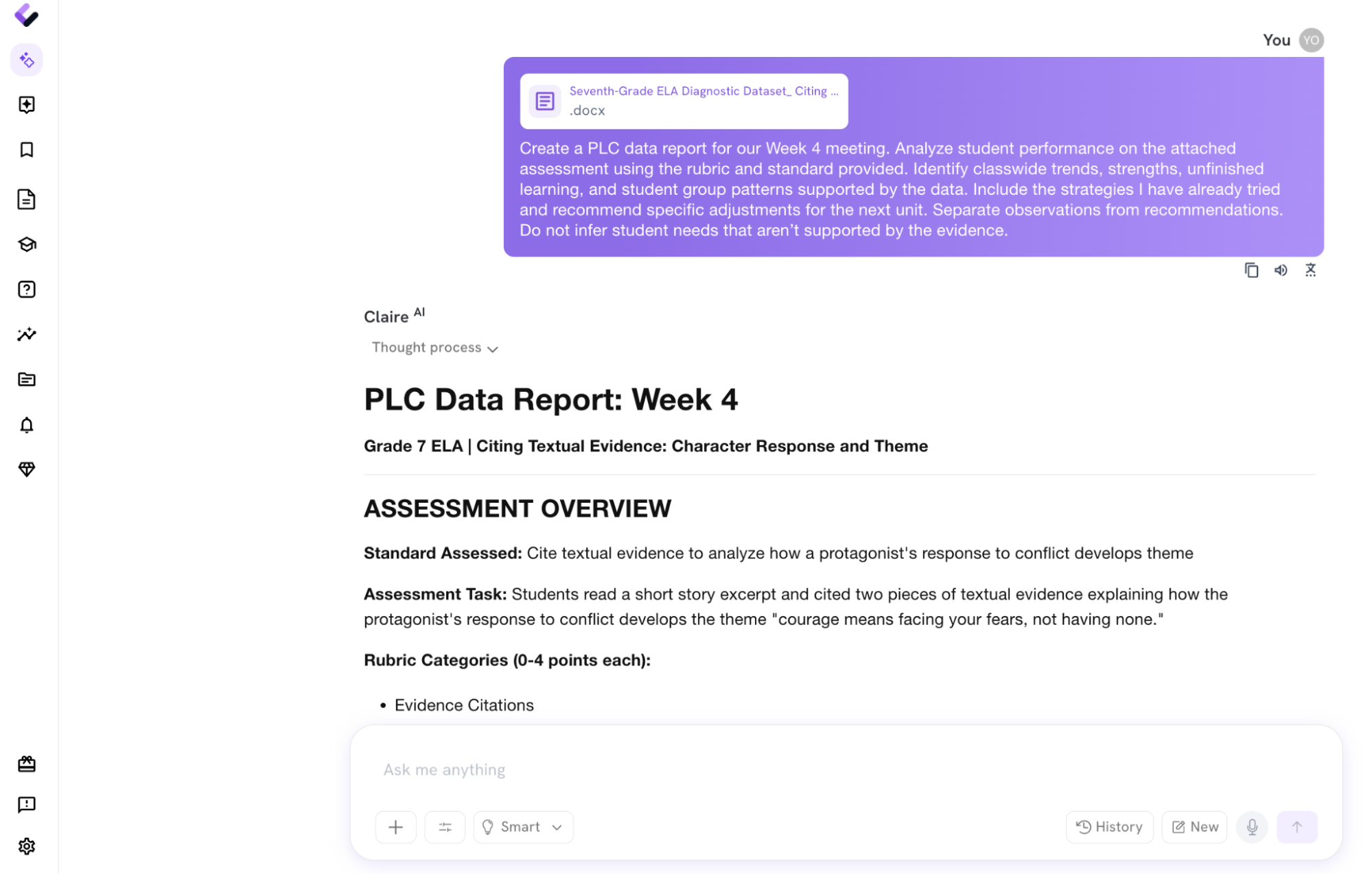
How to create your PLC data report in Colleague AI
1. Gather the evidence your PLC needs
Start with the smallest useful set of information. You rarely need every assignment from the first month of school.
Bring together:
-
The standard or learning goal
-
Results from one shared assessment or task
-
The rubric, answer key, or success criteria
-
Relevant student work samples with identifiers removed
-
Notes about strategies already attempted
-
Any follow-up exit tickets or checks for understanding
A clear evidence set produces a clearer analysis.
2. Generate a PLC Agenda
Numbers alone can’t explain what happened during instruction. Add the context that helps interpret them.
You might write:
Create a PLC data report for our Week 4 meeting. Analyze student performance on the attached assessment using the rubric and standard provided. Identify classwide trends, strengths, unfinished learning, and student group patterns supported by the data. Include the strategies I have already tried and recommend specific adjustments for the next unit. Separate observations from recommendations. Do not infer student needs that aren’t supported by the evidence.
This direction keeps the report tied to the materials you supplied.
Attach relevant documents.
Paste any relevant details from other sources.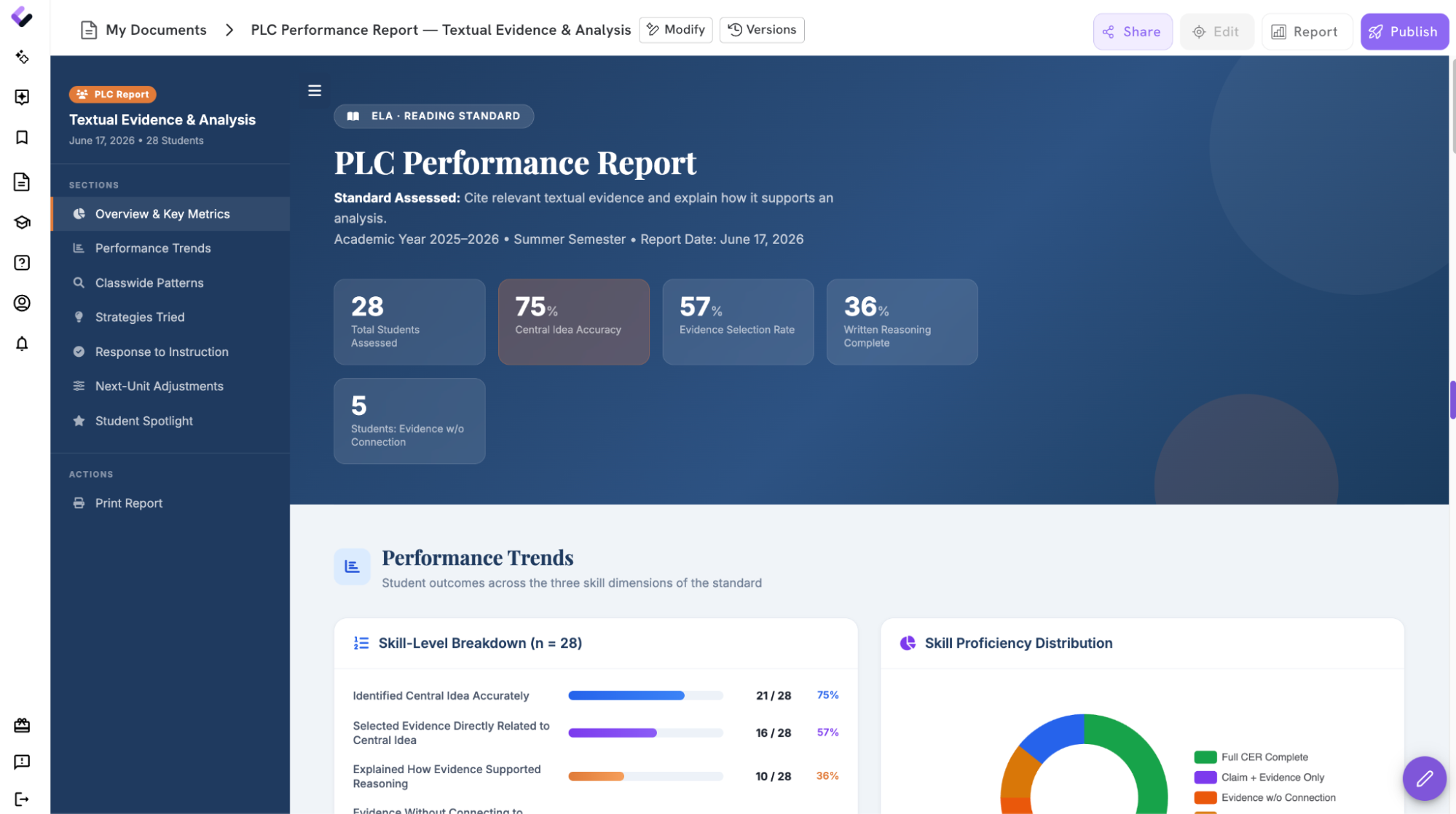
3. Review the performance claims
Read each finding and compare it with what you observed.
Ask:
-
Does the report describe the evidence accurately?
-
Are the student counts and percentages correct?
-
Does a pattern appear across multiple sources?
-
Is any classroom context missing?
-
Does the wording avoid assumptions about why students performed as they did?
Colleague AI provides structure and analysis but you need to confirm what the evidence means.
4. Have You Missed Anything? A Quick Reflection
Context is incredibly useful not just for Colleague AI’s system, but also for the people reading your report! It’s hard to ensure you’ve brain-dumped everything you wanted into your report, so it’s worthwhile to take a minute to reflect on the output before you.
Recording previous instruction helps the team understand which supports students have already received. With this in mind, consider if you should include details such as:
-
Modeling or think-alouds
-
Small-group instruction
-
Worked examples
-
Sentence frames
-
Visual supports
-
Additional practice
-
Peer discussions
-
Oral rehearsals
-
Feedback and revision opportunities
Colleague AI can connect those strategies to later student evidence, while you determine how strongly the evidence supports the connection.
Also, anticipate questions! Useful PLC discussion questions might include:
-
Which routine has helped your students explain their reasoning?
-
Are we seeing the same pattern across classes?
-
Which common check could we use before the next assessment?
-
Which students may benefit from regrouping across classrooms?
Does your report ready you to answer these?
5. Turn the patterns into next-unit adjustments
Ask Colleague AI to sort recommendations by purpose:
-
Whole-class instruction: Skills that require additional modeling or guided practice
-
Targeted support: Students who need another entry point, additional time, or a smaller instructional group
-
Extension: Students ready to apply the skill with greater independence or complexity
-
Progress monitoring: A brief way to check whether the adjustment worked
Each recommendation should name an instructional action and the evidence that prompted it.
“Reteach citing evidence” remains broad.
“Use two short passages to compare relevant and weak evidence choices, then check understanding with a three-item exit ticket” gives the PLC a plan.
6. One Last Review
Before you finalize:
-
Confirm every number against the original source.
-
Check the language to reflect your classroom observations.
-
Mark any interpretation you want the team to discuss.