Most teachers run more digital tools than the job actually requires. There's the district LMS for grading and curriculum structure, a separate tool for AI-assisted lesson planning and tutoring support, maybe a polling app for exit tickets, and a printed roster taped to the edge of a laptop because none of the digital systems quite line up with the classroom in front of them.
Today, Colleague AI released major upgrades to the platform UI, particularly for teachers using the Classroom section, and have added 5 new features to better align with LMS structures. The new 'My Classroom" look and flow are designed to better reflect the parts of the platform teachers touch every day, while also filling in structural pieces (modules, a gradebook, groups) that a district's LMS already has.
"My Classroom" UI, Rebuilt Around How Teachers Actually Move Through a Day
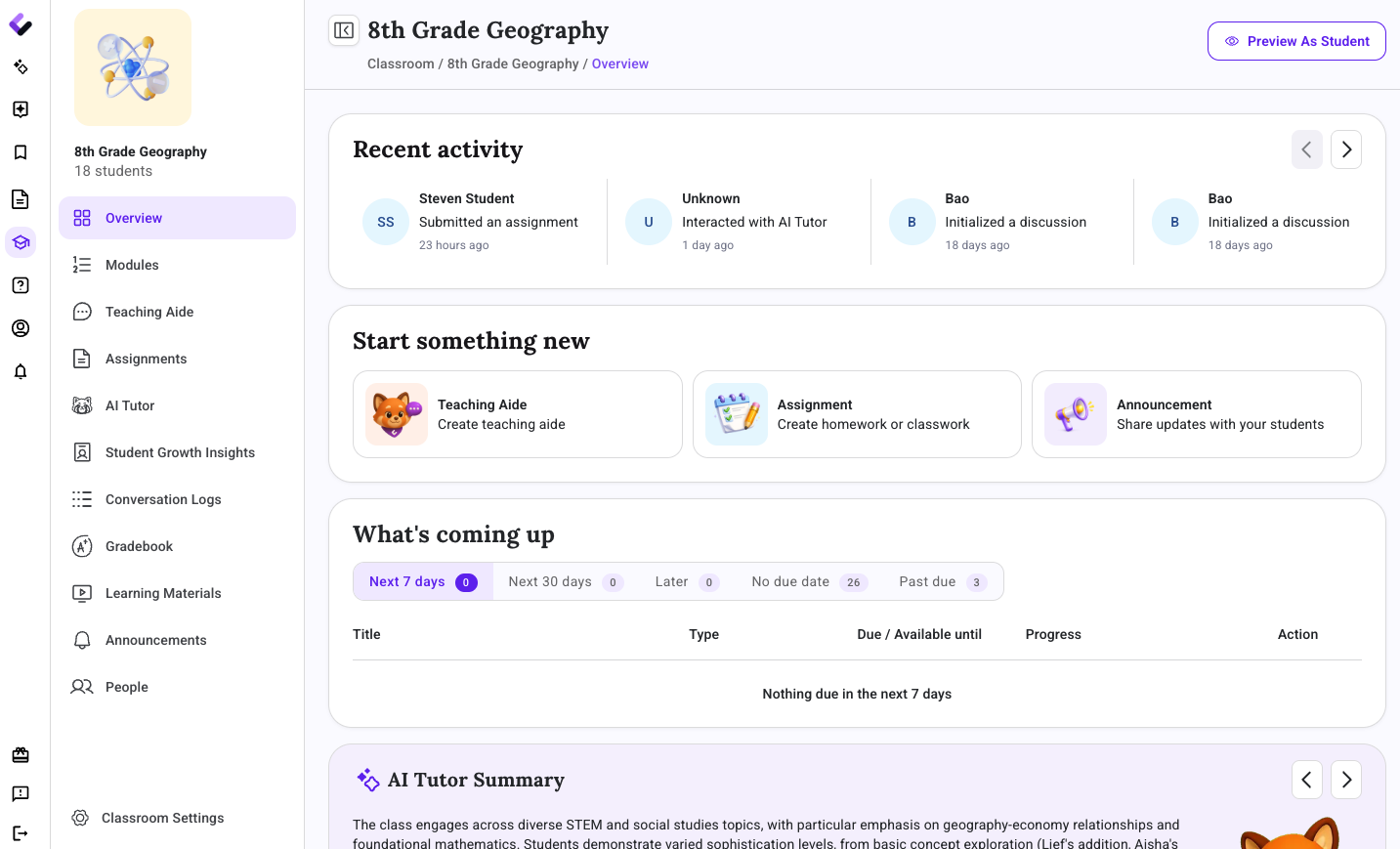
The My Classroom tab has a new design and new navigation, and the change is less about appearance than about sequence. Before, building a new lesson plan, activity, or assessment meant leaving the classroom view and routing through the dashboard first. That detour is gone: the buttons to create a lesson plan, activity, or assessment now live directly on the classroom page, where the work already happens. It's a small change on paper, but it reflects a larger point: the interface should follow how a teacher actually works through a class period, not how a system happens to be organized on the backend.
The "Teaching Aide" and Classroom Discussions Get More Control
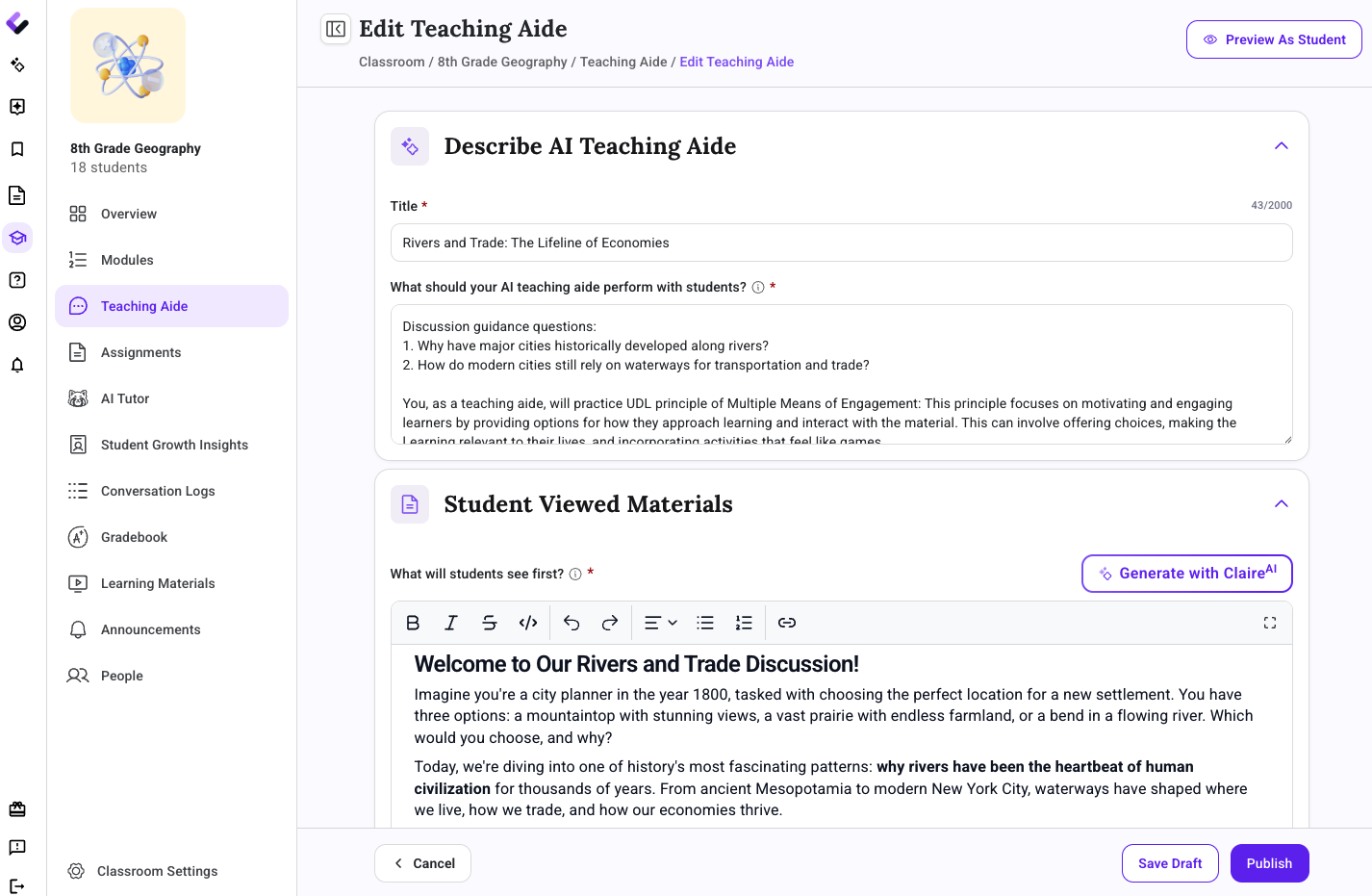
The Teaching Aide and classroom discussions now come with more customization and settings, including the option to assign a discussion to specific students or groups instead of pushing it to the whole class, useful for a small-group intervention, an extension activity, or a discussion that only applies to part of a roster.
Teachers also have greater control over what the discussion should be, what role the AI agent should play, and what information students see as part of the assignment or discussion.
The New "Assignments" Tab Becomes the Home for All Assessments, Homework, Tests, Quizzes, etc.
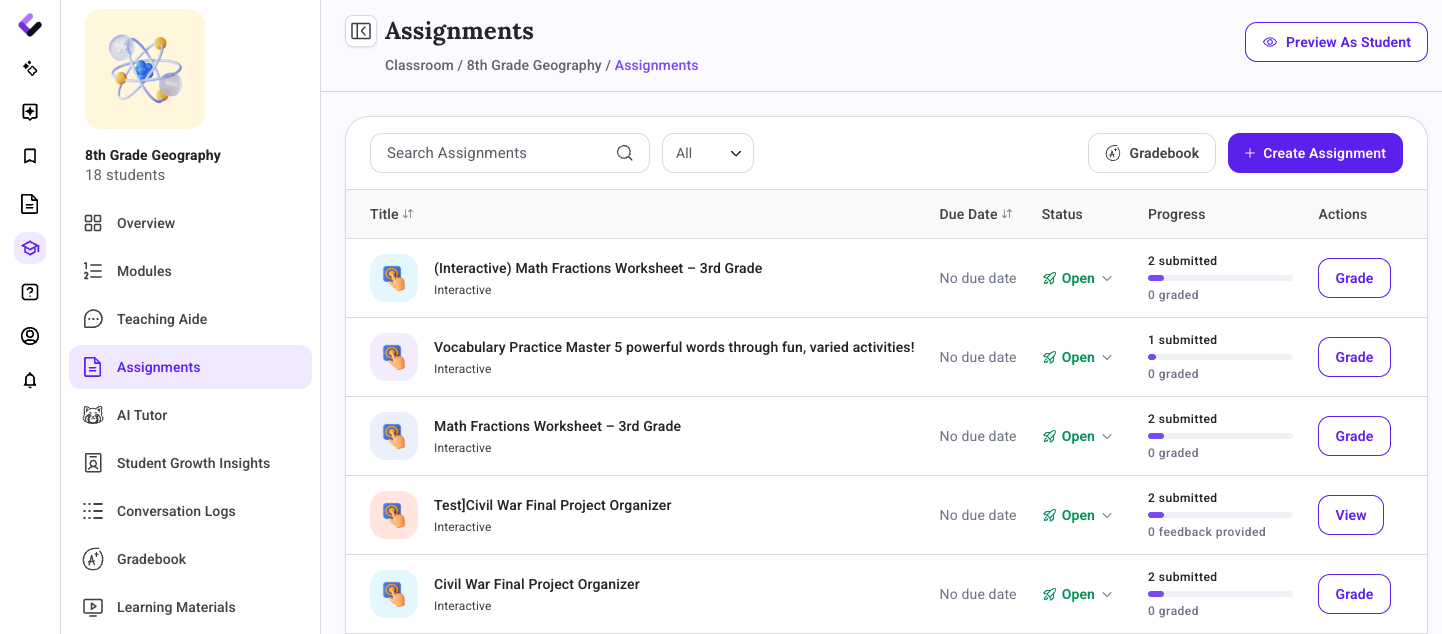
The new Assignments is now the home for every activity, homework assignment, worksheet, and assessment in a class, and teachers can view, edit, or grade an assignment directly from that view, with fewer clicks between seeing the work and acting on it. Grading a stack of assessments or tweaking an assignment mid-week no longer means hunting across separate screens to find where each piece lives.
It's also simpler and easier to create a new Assignment.
Conversation Logs Put Every Student AI Interaction in One Place
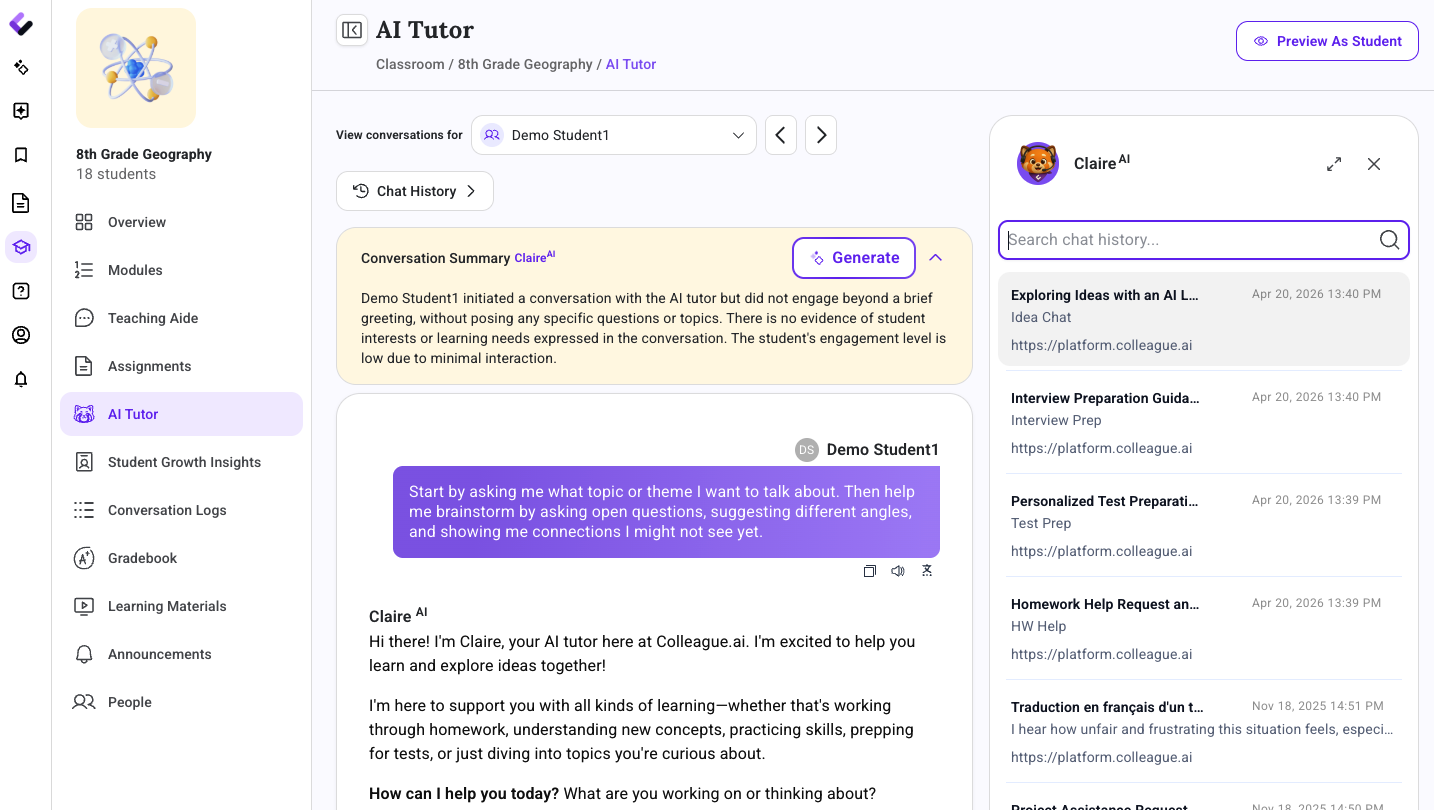
Conversation Logs give teachers a consolidated view of every student's conversations with the AI tutor and any classroom discussion — who's been active, on what subject, and on what date. It also surfaces mentions and tags, along with any alerts a teacher or administrator should be paying attention to. Instead of piecing together student engagement from memory or scattered activity screens, a teacher can see the full pattern of who's using the AI tutor, on what, and whether anything in those conversations needs a closer look.
Five New Features, Built to Match the Structure Districts Already Use
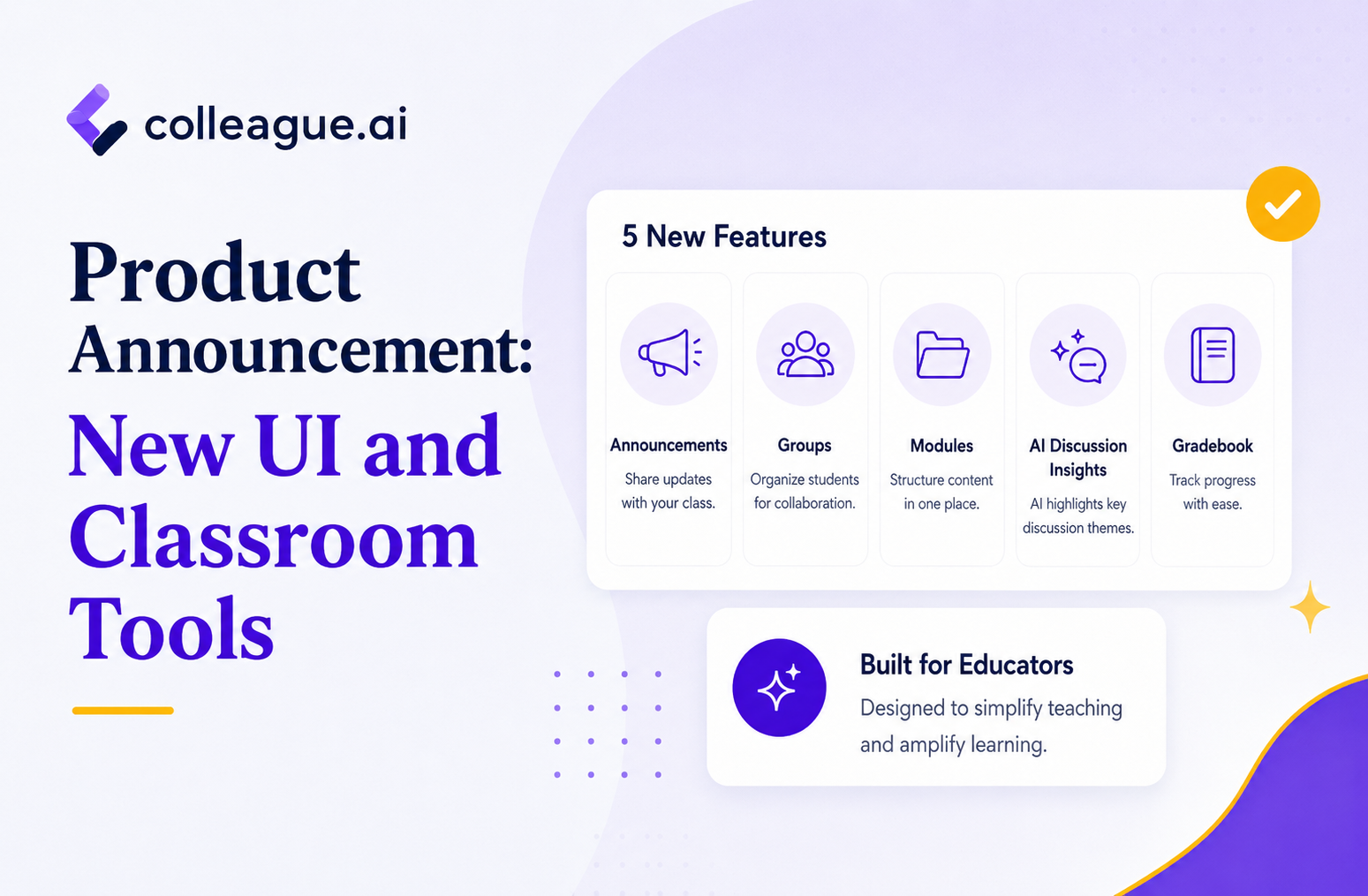
Alongside the redesign, this release adds five major features. Each one addresses a distinct piece of a teacher's day, and together they map onto what most district LMS platforms already expect: modules, a gradebook, groups, and a way to reach a whole class at once.
Modules and Units: Curriculum Structure Built Into Colleague AI
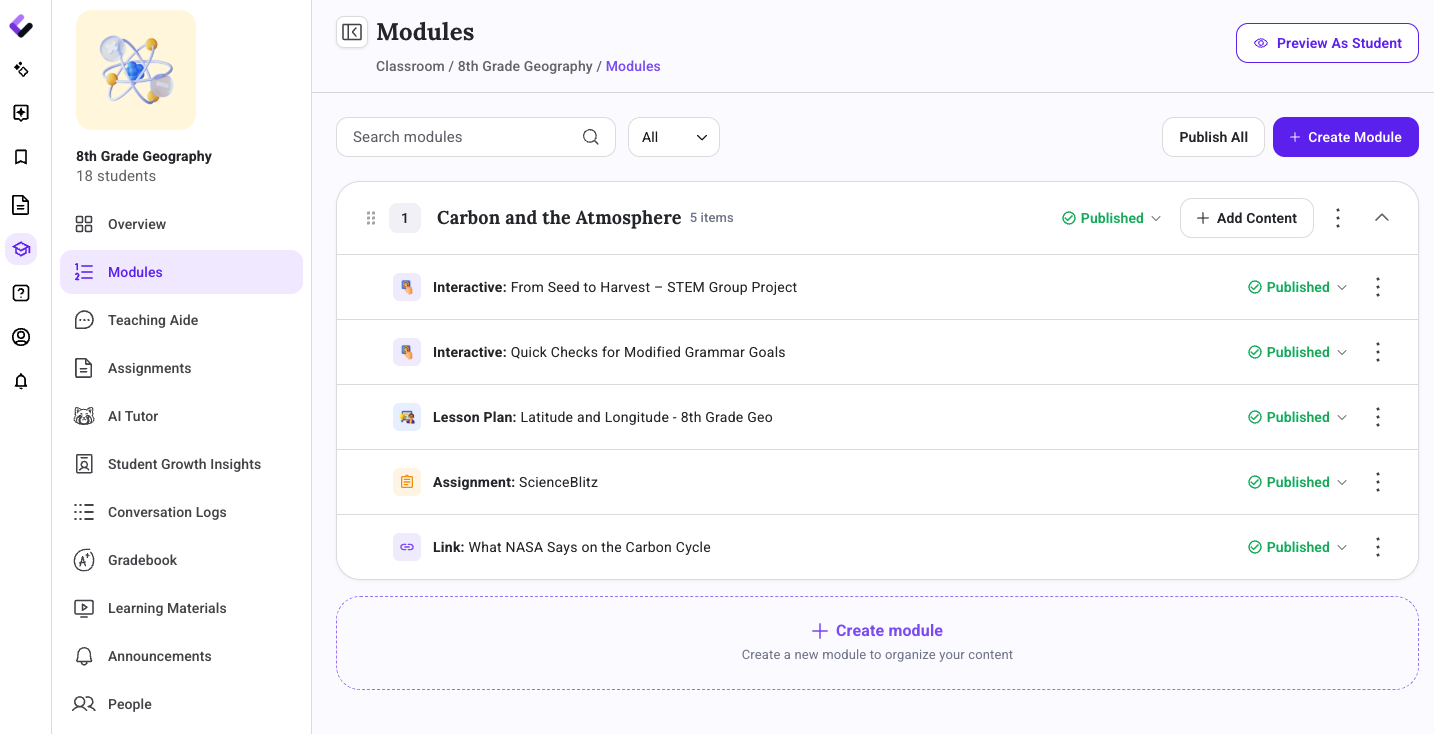
Teachers can now group lesson plans, activities, assignments, assessments, presentations, and other learning artifacts into modules, or units, that mirror how curriculum is already organized in a pacing guide or course sequence. Each module carries a Draft or Published status, so a teacher can build one out ahead of time without putting unfinished material in front of students. Modules also support prerequisites: a teacher can require a student to finish one module before the next one becomes available, which matters for any sequence where skipping ahead undercuts what comes later.
Gradebook: One Table for Every Grade in a Class
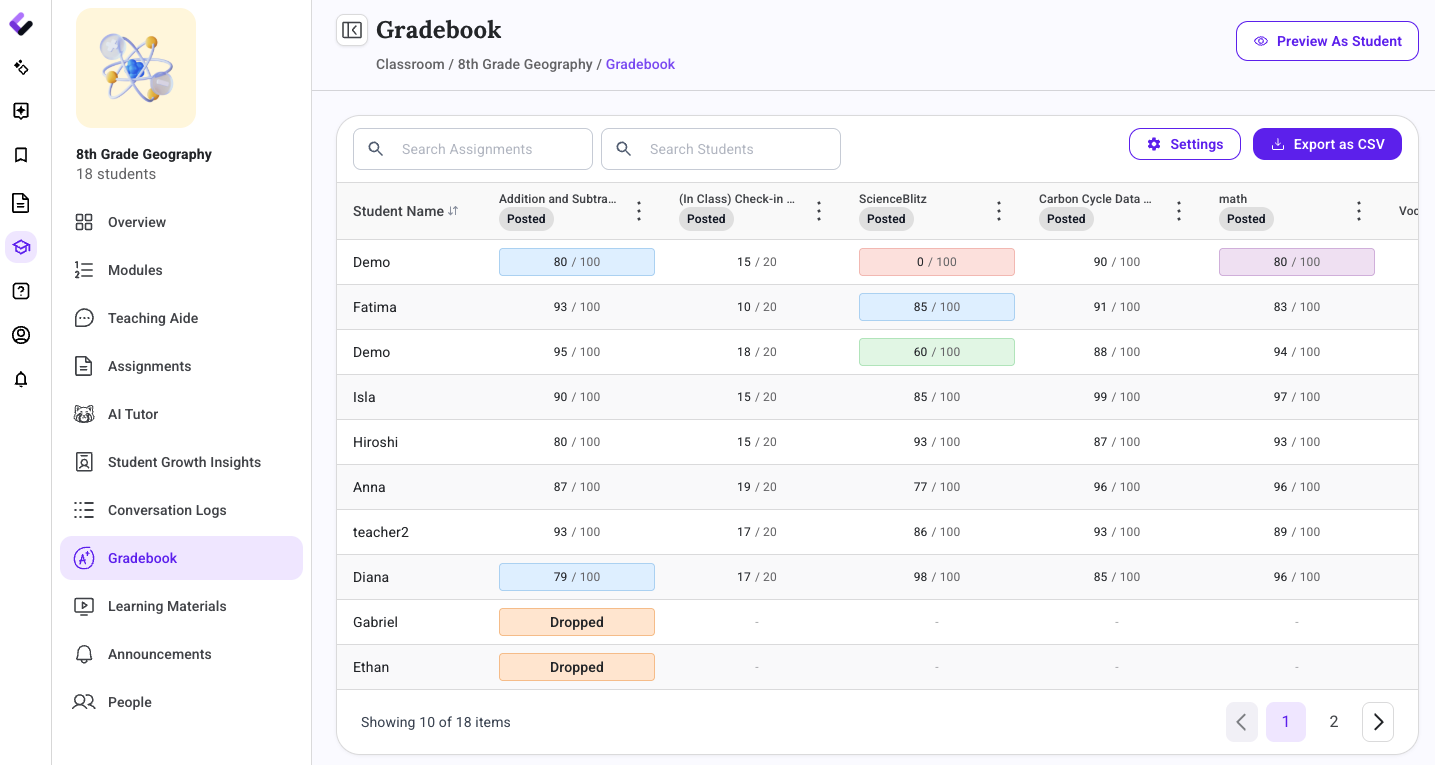
The Gradebook puts every graded assignment and assessment for a class into a single table, with every student's grades laid out against them. Settings are configurable, grades can be viewed and entered quickly from that one table, and the whole thing exports to CSV when grades need to leave the platform for a report, a district system, or a parent conversation.
Groups: Reaching Part of a Class Without Picking Names One by One
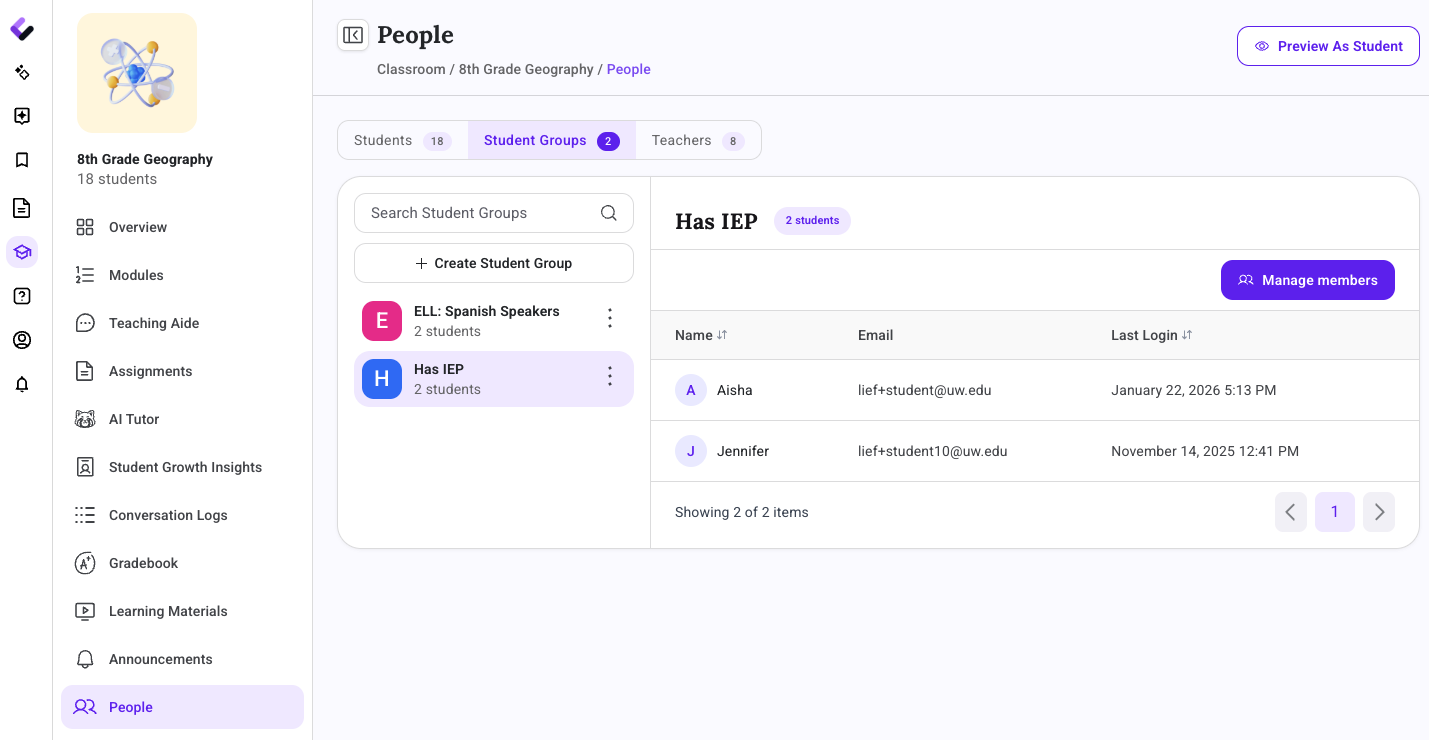
Groups let teachers organize students into any number of teacher-created sets within a class, not just the full roster. Assigning work or opening a discussion to part of a class now takes one group selection instead of checking off students individually, which matters for guided reading groups, differentiated assignments, or a discussion that's only meant for some of the class.
QR Code Login: A Faster Way for Younger Students to Log In
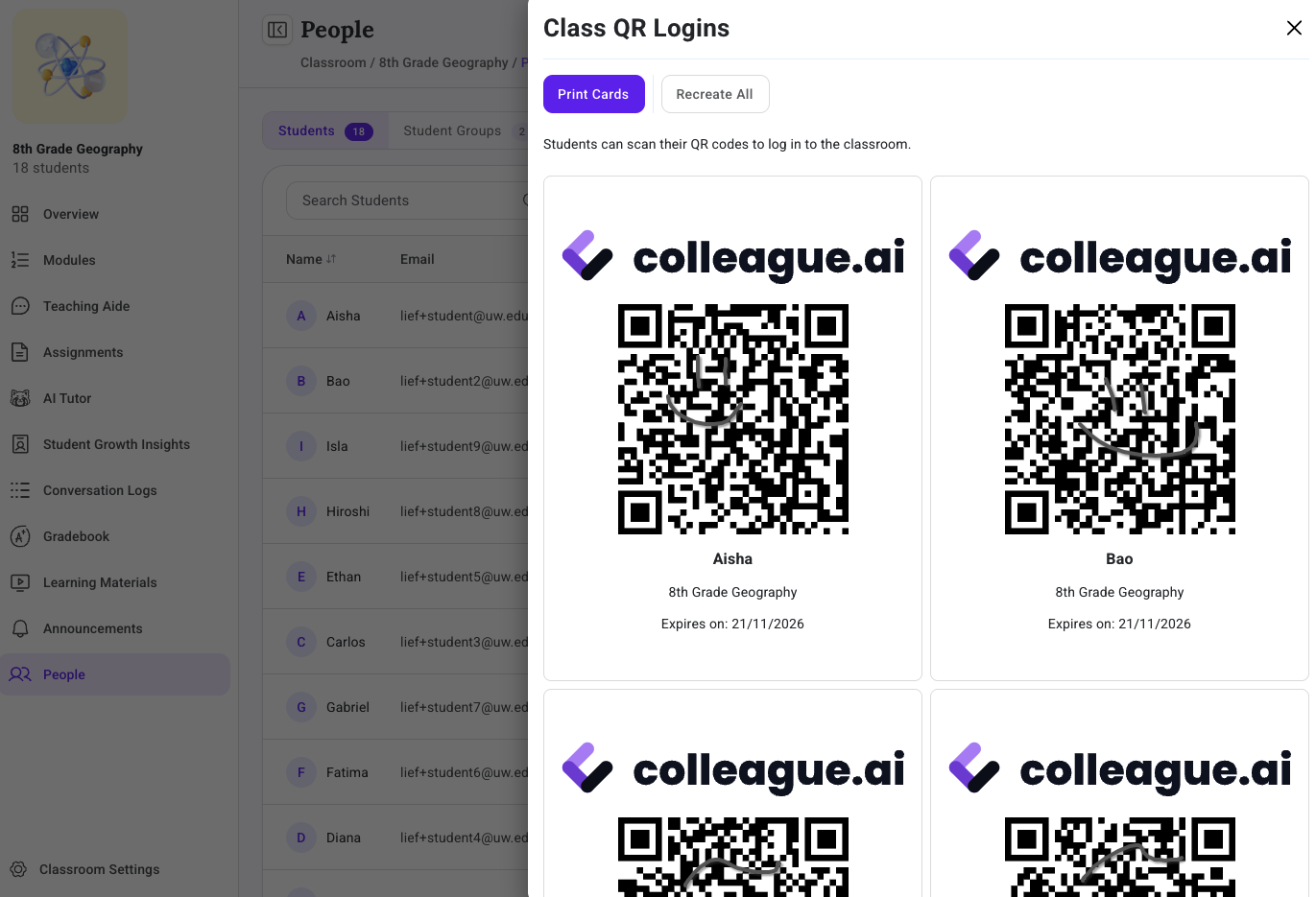
QR Code Login lets students log in by scanning a code instead of typing a username and password, which matters most for younger elementary learners who are still building typing skills or don't reliably remember login credentials. Teachers can share a QR code digitally, projected on screen for the whole class, or print physical QR cards to hand to individual students.
Announcements: One Place to Post to the Whole Class
Announcements adds a class-wide message board where teachers can post updates the entire class needs to see, in one place instead of relaying them verbally, over email, or through a separate app. It gives every class a single running record of what's been communicated, visible to students and searchable later.
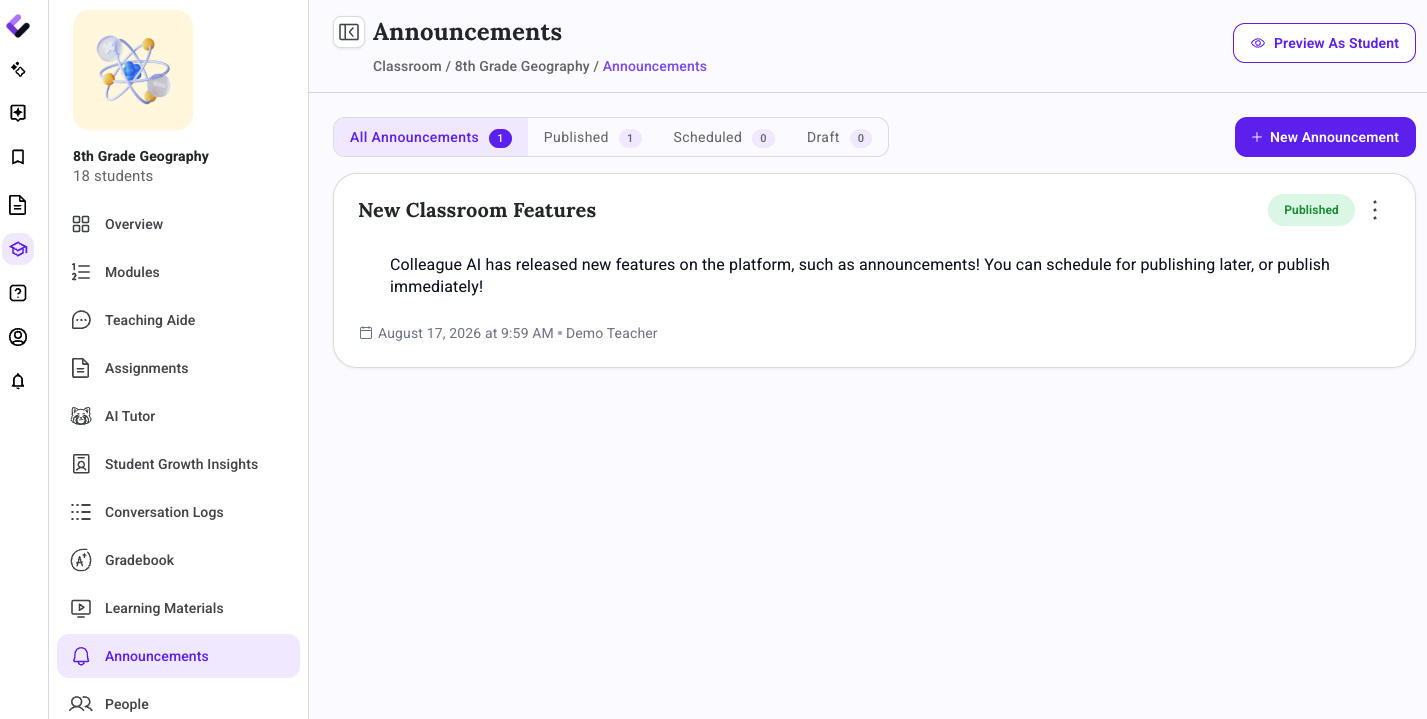
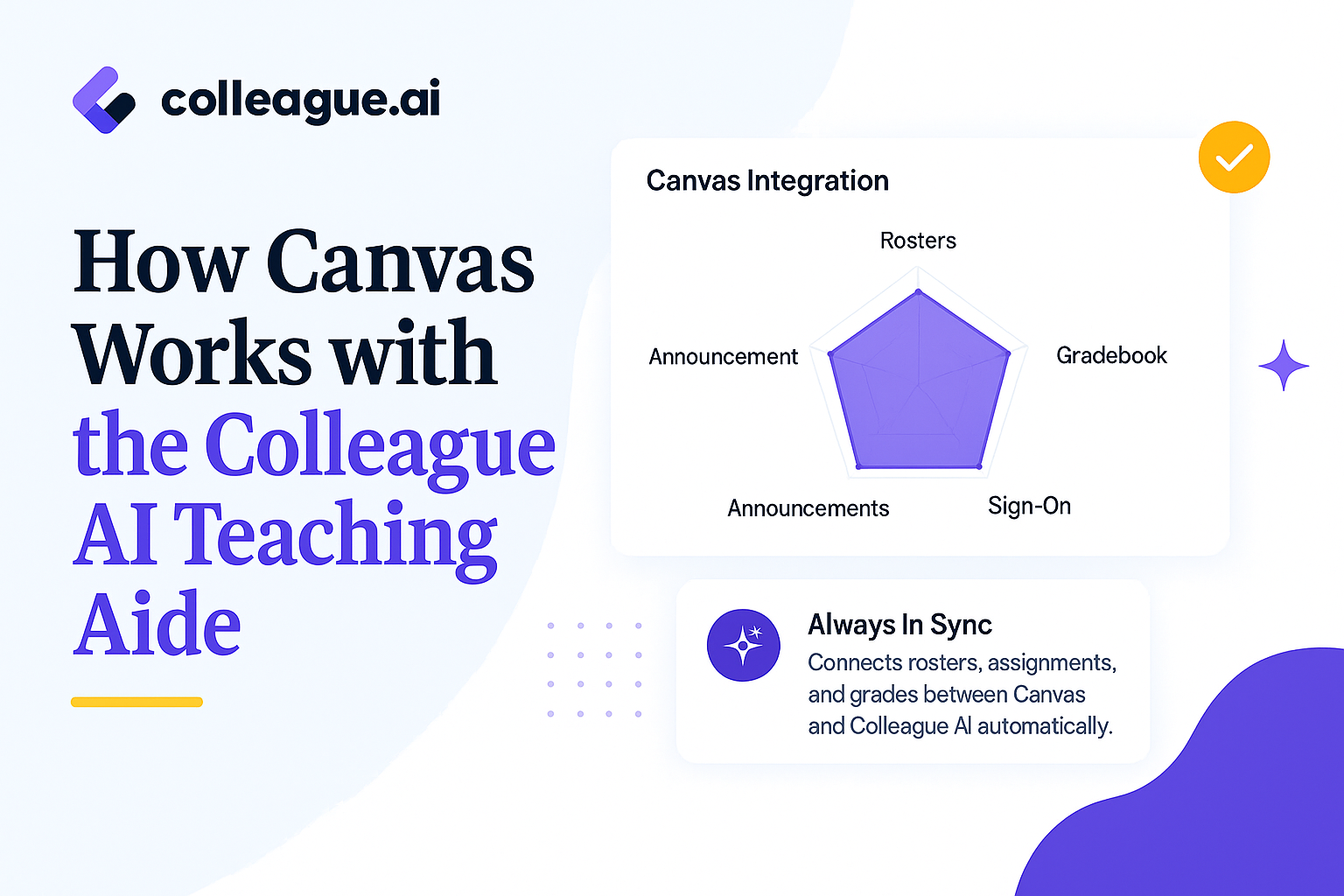
The addition of these new features allows us to better integrate with major LMS platforms. Building Colleague AI around the same shape means what a teacher does here maps back to what their LMS expects.
The redesigned My Classroom experience, the five new features, and the upgrades to the Teaching Aide, Assignments tab, and Conversation Logs are rolling out together in this release. Teachers and administrators who want to see how modules, the gradebook, and the rest of the update work in a real classroom can get a walkthrough directly from the team.
Request a Demo