It’s 1:15 p.m.
Your next class starts at 2:00. You lost 2 periods already today to meetings and a highly uncooperative printer, which was not the plan.
The lesson is adding and subtracting fractions. Your materials currently consist of a dry-erase marker, a learning standard, and the growing suspicion that the copy machine has something personal against you.
Your class includes students working several years above grade level, students still building prerequisite skills, and students who will know within four minutes whether today’s lesson was designed with them in mind.
You have 45 minutes to prepare.
Here’s what that workflow looks like in Colleague AI.
Step 1: Choose “Create Lesson Plan” and Give Colleague AI the Instructional Context
A useful lesson plan begins with more than a topic.
“Adding and subtracting fractions” could produce a worksheet, a lecture, a group investigation, or 37 problems that feel longer than the Mississippi river.
Claire, your AI assistant in the Colleague AI platform, needs the instructional conditions that will shape the lesson:
-
The learning standard
-
The grade level
-
The available class time
-
The range of student readiness
-
Any materials, routines, or constraints the teacher wants respected
For this class, the teacher enters:
Standard: CCSS.MATH.CONTENT.5.NF.A.1
Add and subtract fractions with unlike denominators by replacing given fractions with equivalent fractions that produce an equivalent sum or difference with like denominators.
Grade: 5
Lesson length: 45 minutes
Class context: Approximately 40% of students are performing around two grade levels above the target and 40% are performing around two grade levels below the target.
Request: Create a differentiated lesson with an opening hook, brief teacher instruction, tiered student activities, a formative check, and an exit ticket. Include suggested teacher questions and likely misconceptions.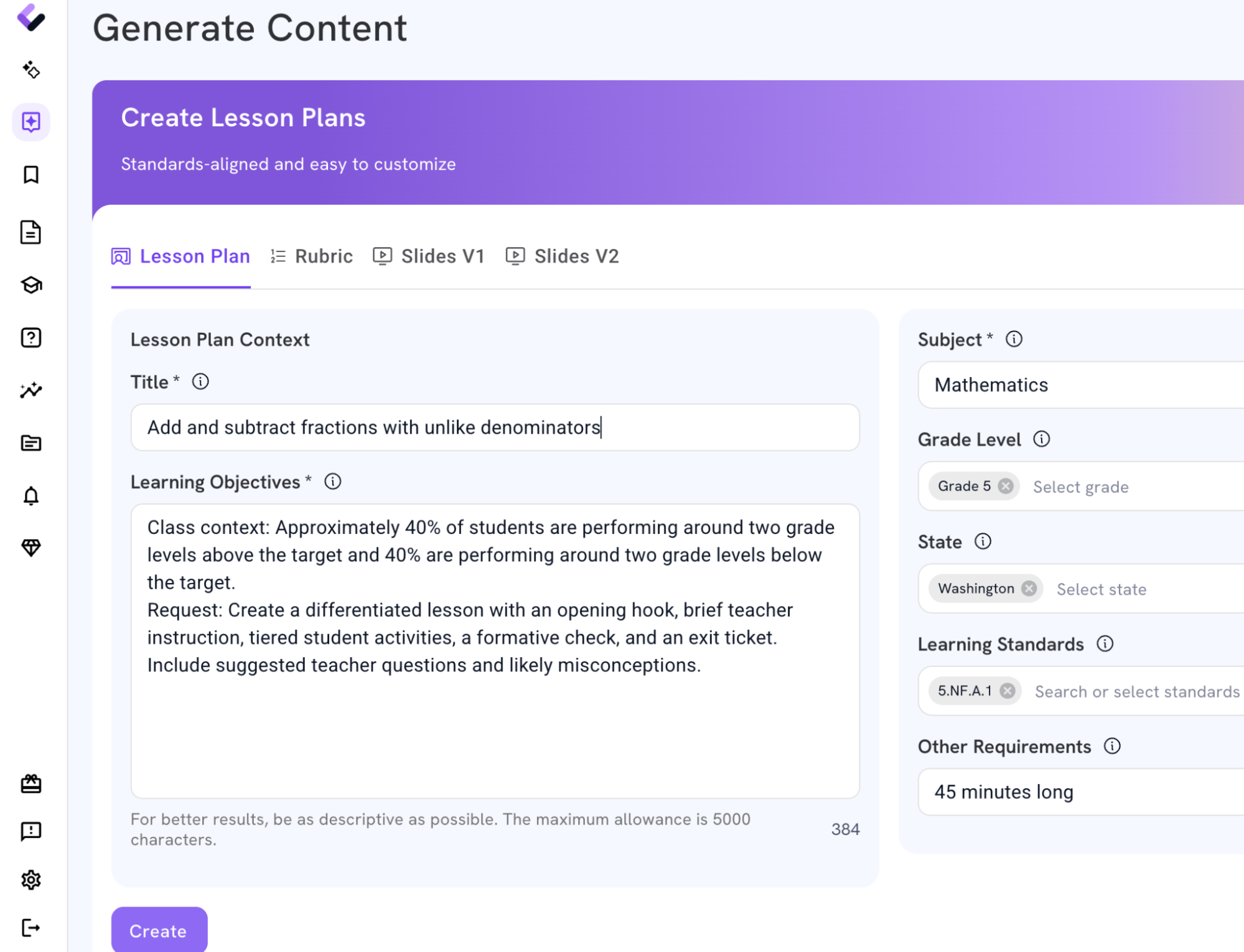
The more context you give Claire, the better the output will be.
Claire can now plan around this particular group of students instead of generating a generic fractions lesson for an imaginary classroom where every student arrives with identical background knowledge.
Step 2: Review the lesson architecture
Claire returns a complete 45-minute lesson organized around one learning goal:
Students will add and subtract fractions with unlike denominators by creating equivalent fractions and explaining why common units are necessary.
The plan includes:
-
A visual opening problem
-
A concise teacher model
-
Three activity pathways
-
A whole-class formative check
-
A differentiated exit ticket
The teacher remains the instructional decision-maker. They can change the examples, move students between groups, revise the pacing, or ask Claire to adjust any section.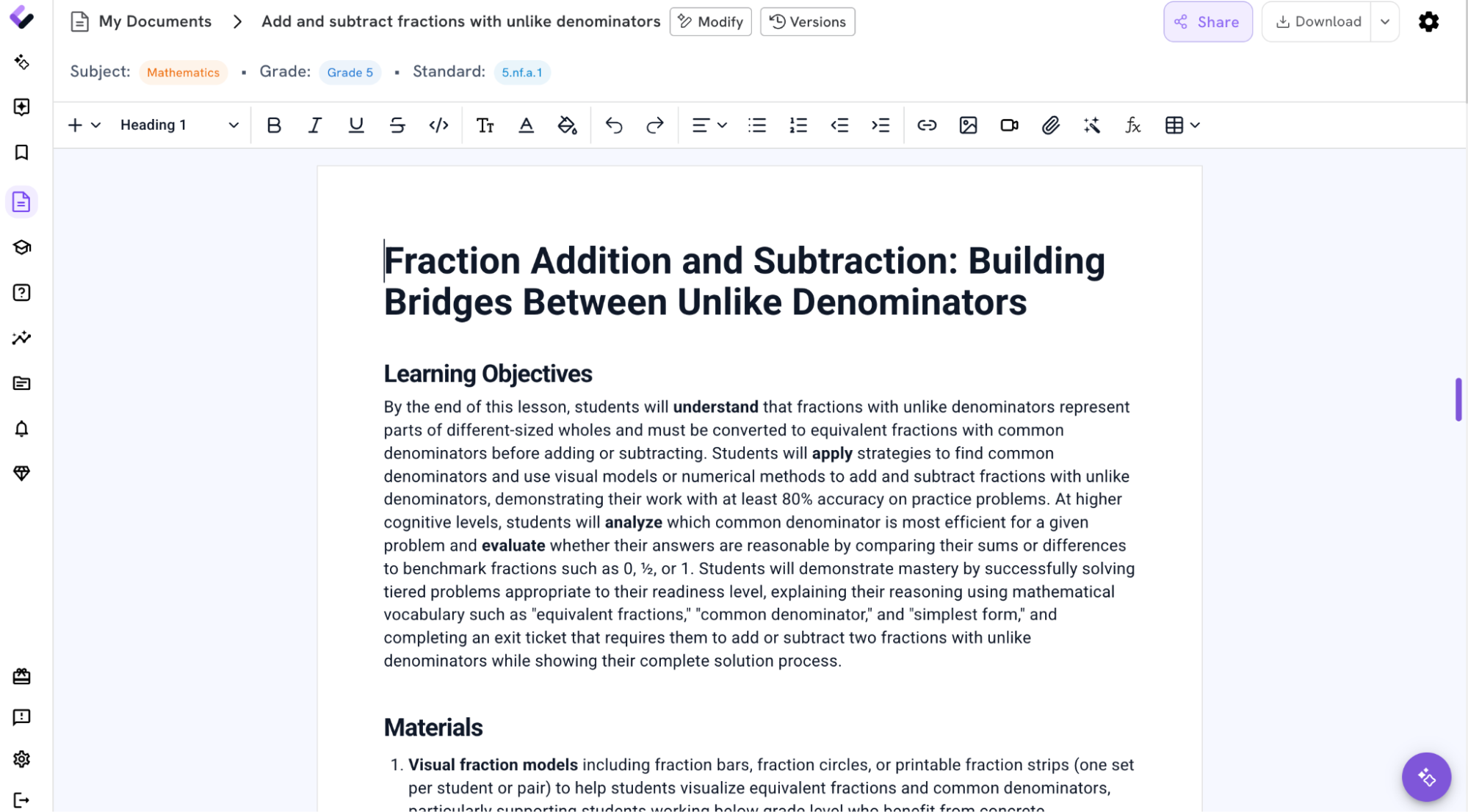
Step 3: Review the Plan and Check for Quality
The first response from Claire is a draft. The teacher can revise it through a follow-up request.
For example:
Revise Pathway 1 so students can complete it without printed materials. Use notebook paper, pencils, and teacher-drawn models only.
Or:
My students already understand equivalent fractions. Reduce the teacher model to five minutes and add a partner reasoning task.
Or:
Create a version of the exit ticket with reduced language demands for multilingual learners while preserving the same mathematical target.
Claire keeps the lesson context and updates the requested section.
The result is a plan shaped by the teacher’s knowledge of the students, available materials, and instructional priorities.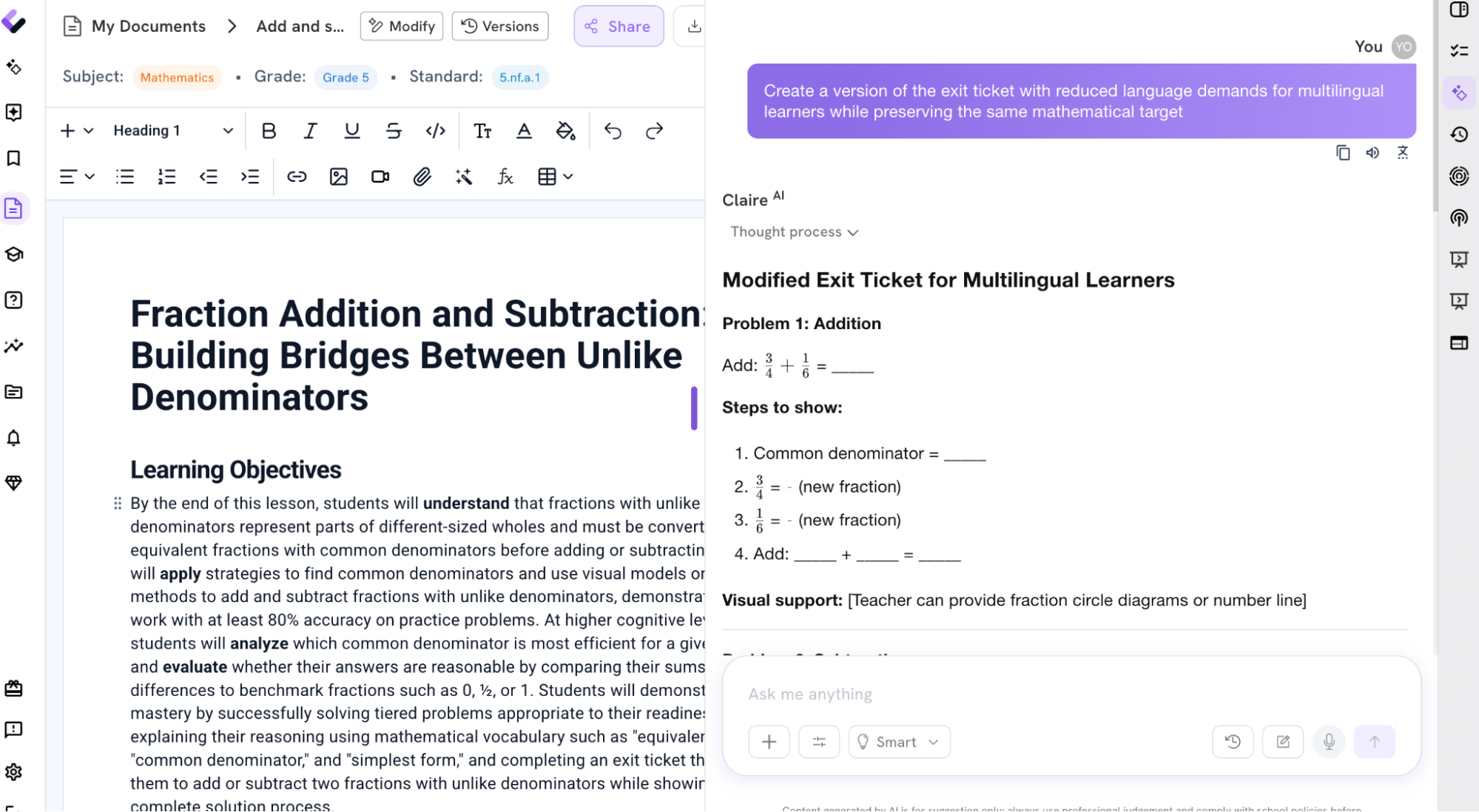
A Quality Lesson Plan in Less Than 10 Minutes
Less than ten minutes after opening Colleague AI, you have:
-
A timed lesson sequence
-
A clear learning goal
-
An opening task connected to the core concept
-
Three differentiated activity pathways
-
Questions to use during instruction
-
Anticipated misconceptions
-
A formative check with response categories
-
A ready-to-use exit ticket
The remaining preparation time can go toward reviewing the mathematics, selecting student groupings, drawing models on the board, and making the professional decisions that require direct knowledge of the class.
Go Further: Create Activities, Assessments, Presentations, and More
Now that you have your lesson plan, you can use Colleague AI to go a step further. You can:
- Generate an interactive assignment
- Create a multiple choice assessment
- Create a presentation if you need material for the class
- Create rubrics
Or spend your time doing all the other things you couldn’t since you lost 2 periods this morning!