
A quiz generator for any subject, any grade, any standard.
A quiz generator is a tool that turns a subject, a standard, and your own lesson materials into a set of ready-to-use questions, with unlimited options beyond multiple choice. With Colleague AI, you describe what you're testing and what it should be based on, and it builds an interactive quiz you can review and adjust before your students ever see it.
Try it now →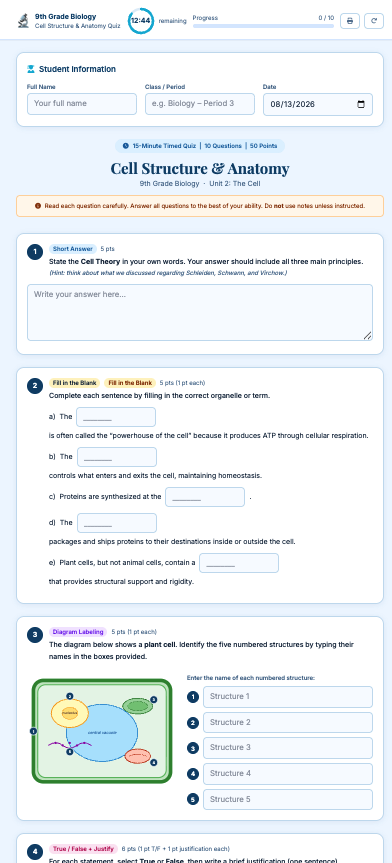
One assessment. A list of boxes to check.
It's never just ten questions with four answer choices each. There's the standard you're teaching to, the grade level you're writing for, the lesson it actually needs to reflect, and a length that fits the class period you have.
A blank quiz template doesn't know your standard, your grade level, or what you actually taught this week. Colleague AI takes all of that in as part of one prompt and builds a quiz that reflects it.
Describe the quiz you need. Get questions back.
You're not writing distractors one at a time or hunting for a question bank that happens to match your unit. You tell Colleague AI what the quiz is for, and it builds the whole thing — then lets you check and adjust it.
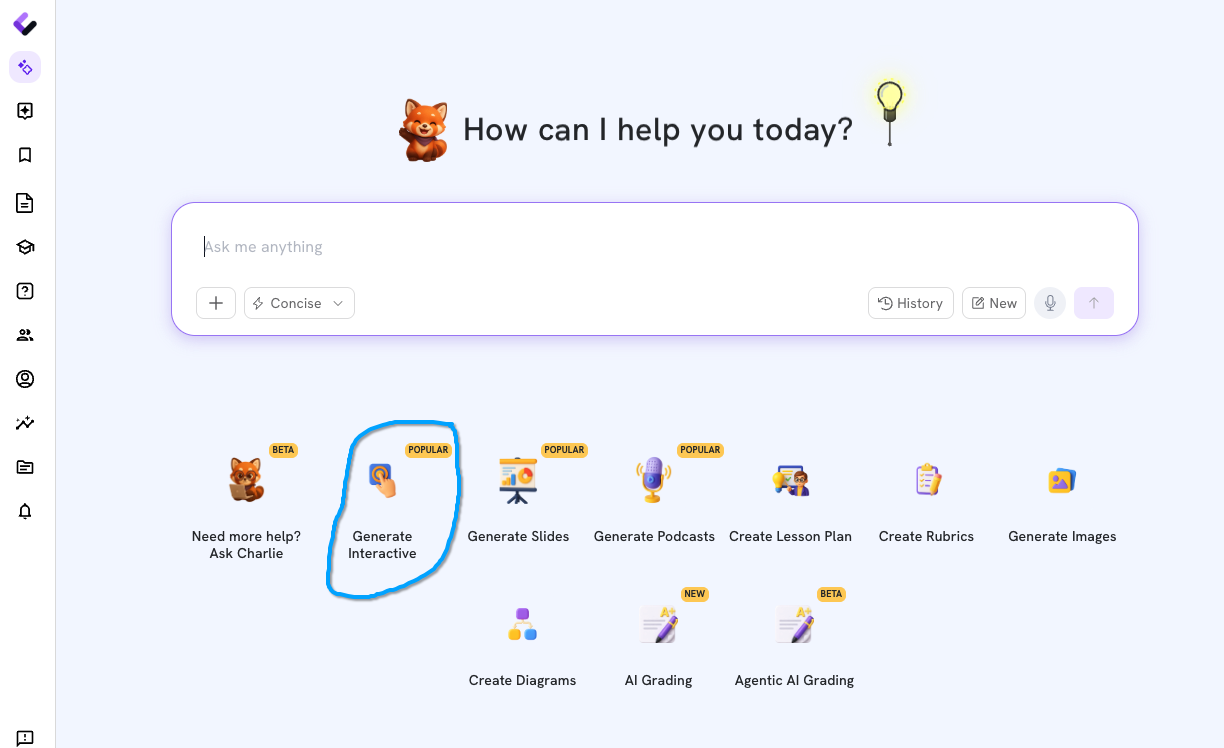
Choose Create Interactive.
Open Colleague AI and select Create Interactive to build a quiz your students can actually take online, not just a printed worksheet.
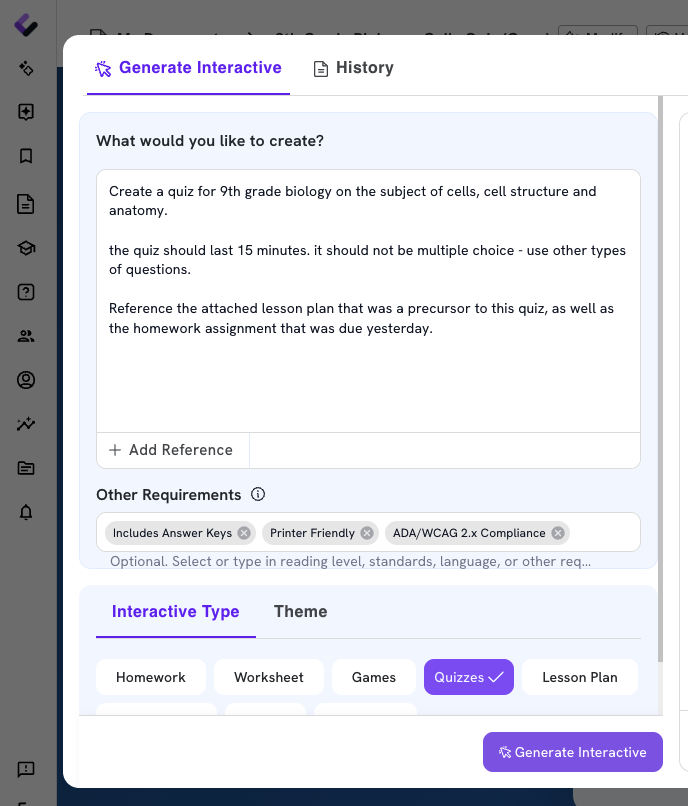
Describe the quiz you need.
Tell the AI agent you want a quiz, then specify the subject, the standard you're teaching to, and the grade level. Paste in your lesson plan or other material you want the questions based on, and specify how many questions or how long the quiz should run. It builds the quiz from that one prompt.
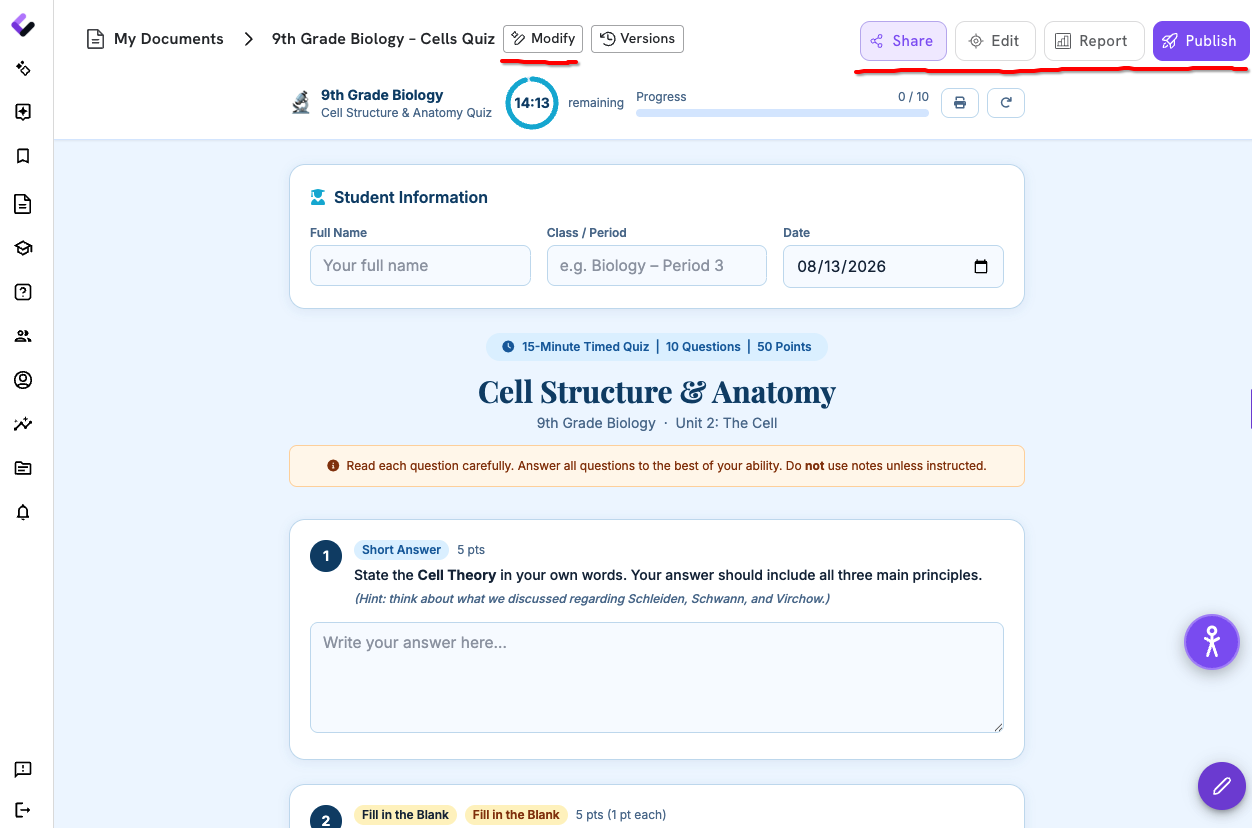
Check the output and adjust as you like.
Review the questions Colleague AI generates, then edit anything that needs a tweak. Swap out a question, rewrite a distractor, or ask the AI to regenerate. Then print, share, assign, collect, and grade!
Built around your lesson, not just your topic.
A quiz is only useful if it actually measures what you taught. Colleague AI keeps your standard, your grade level, and your source material attached to the quiz, not left behind in a separate document.
Built to the standard you name.
Specify the standard and grade level up front, and the questions are written to match — not pulled from a generic bank that happens to be close.
Based on the lesson you actually taught.
Provide a lesson plan, notes, or other source material, and the quiz draws its questions from what your students actually covered.
Review, adjust, and regenerate before it goes out.
Check every question and answer choice, fix anything that's off, and regenerate a section if it doesn't fit — the quiz doesn't leave your hands until you're ready.
A quiz generator for any subject, any grade, any standard.
Describe your subject, your standard, and your lesson, and Colleague AI builds a quiz you can check, adjust, and use the same day.
Try it now →