
Try Our Outstanding
IEP Plan Generator
An IEP starts with what a teacher already knows about a student: what they struggle with, where it shows up in class, what might actually help. Colleague AI turns three questions about that student into a full set of draft IEP materials: present levels, measurable goals, accommodations, and more. You still bring it to the IEP team. Colleague AI just makes sure you're not starting from a blank page.
Try it now →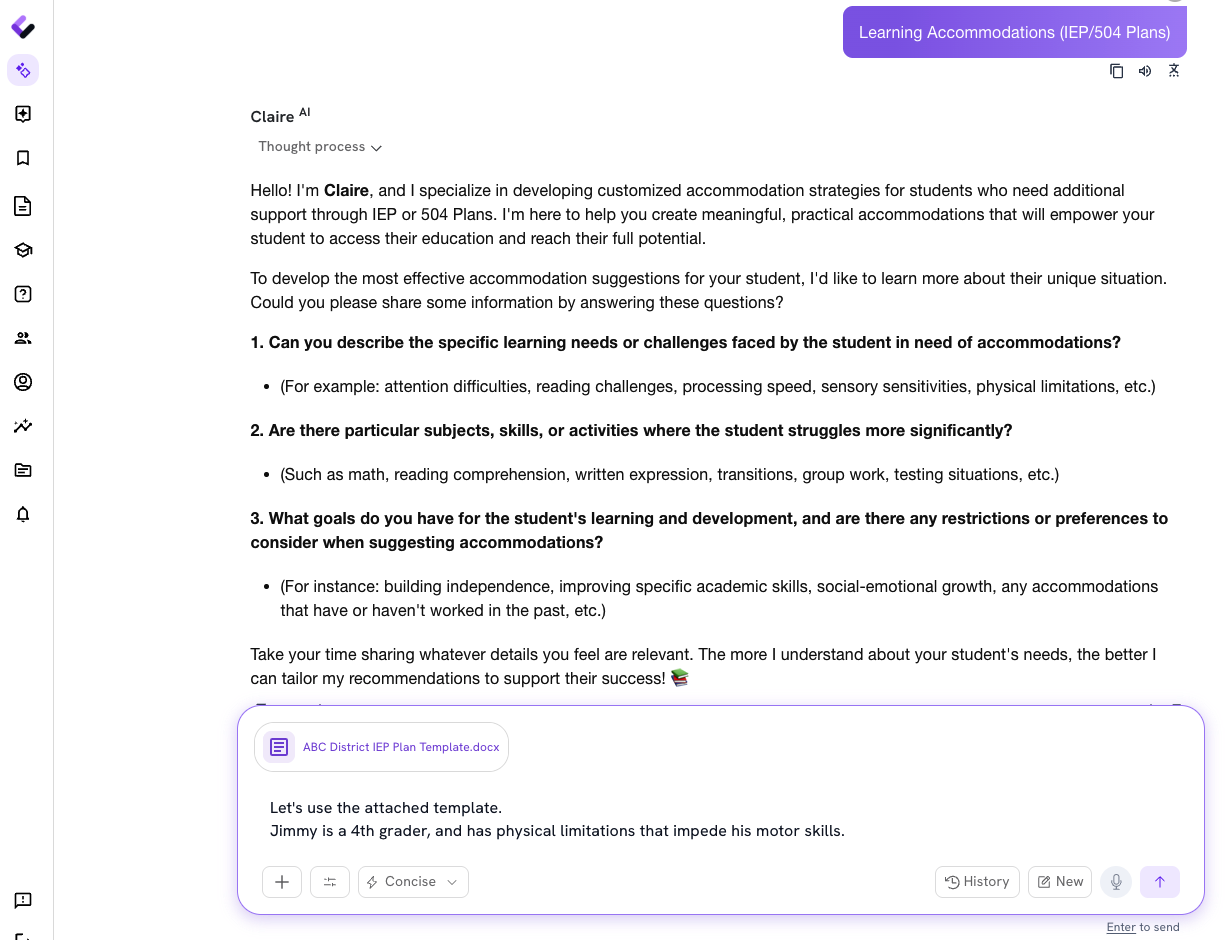
Use AI to draft IEP documents that work together.
A present-levels statement that actually reflects the student. Goals that are measurable, not just aspirational. An accommodations list the whole team can act on. Most of that drafting happens before anyone sits down in the meeting, usually by one teacher, alone, at the start of the year.
Colleague AI drafts all five from the same conversation about the student, so nothing about them gets described a different way in each document.
This is where the paperwork starts, not where the IEP process ends. Evaluations, the IEP team meeting, and the final decisions about a student's plan still happen exactly the way they're supposed to. Colleague AI drafts the documentation that gets you into that meeting prepared; the team reviews, edits, and finalizes everything from there.
Answer questions about your student, then generate every IEP document you need.
You're not filling out five separate templates from scratch. Colleague AI asks what you already know about the student, then builds the present levels, the goals, and the accommodations from those same answers.
Describe the student situation, include any school/district templates.
Tell the AI agent about the student's specific learning needs and challenges: difficulties with attention, processing speed, reading comprehension, executive functioning, sensory sensitivities, physical mobility, or anything else you're seeing in the classroom. If you have specific templates to use, include those too!
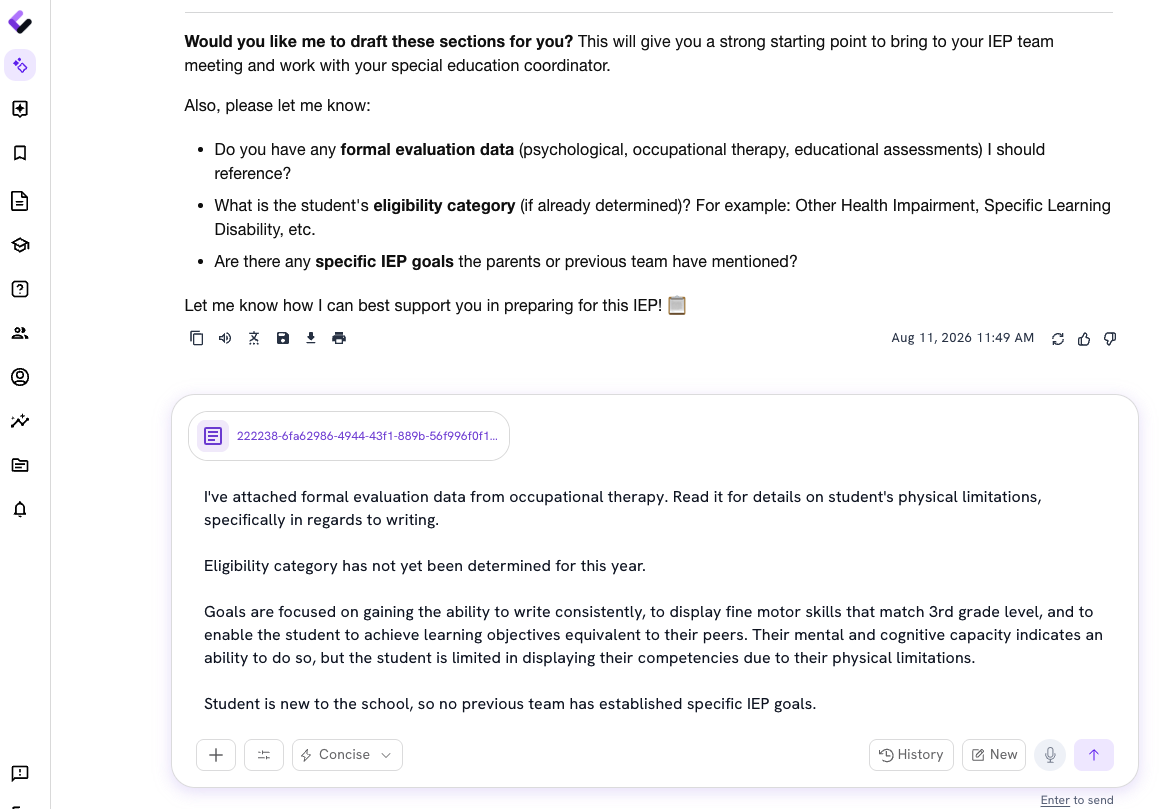
Point to where it actually shows up.
Name the subjects, skills, or activities where the student struggles most significantly: math computation, written expression, reading fluency, social interactions, transitions, test-taking, or specific classroom activities. The more specific you are, the more specific the draft.
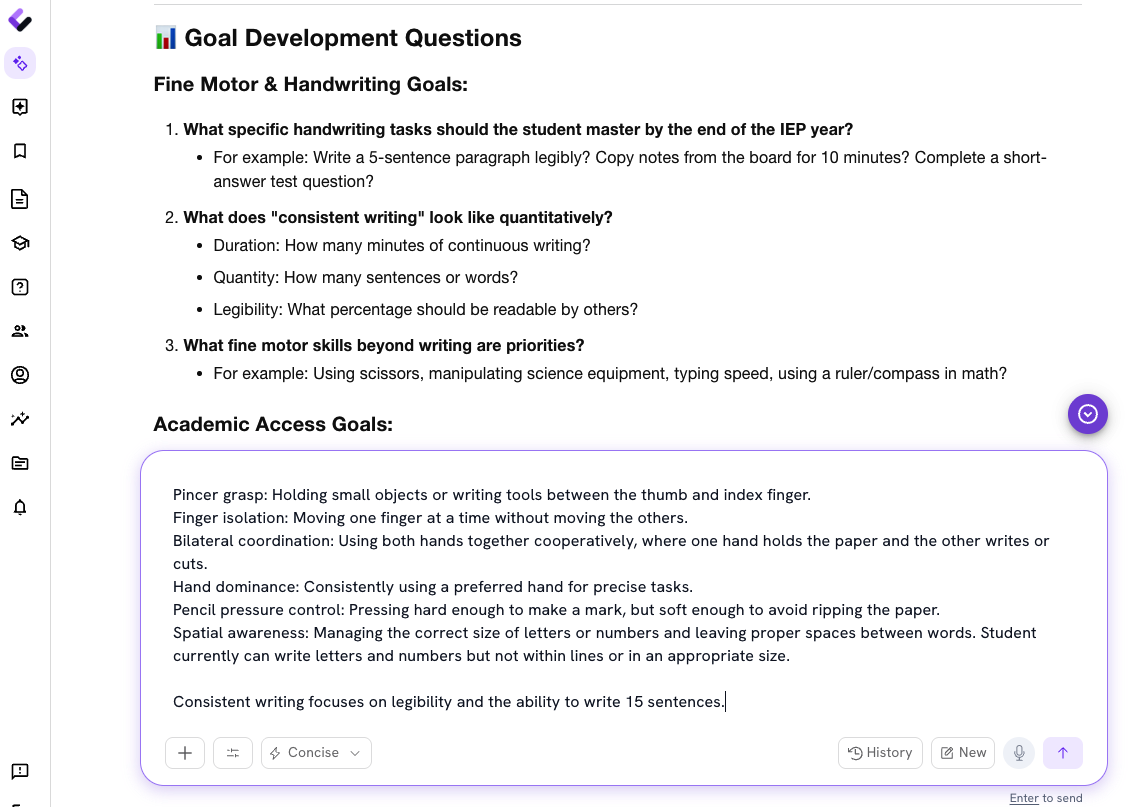
Set the goals and the guardrails.
Share what you want the student working toward, plus anything the accommodations need to account for: specific skills to build, what's worked or hasn't worked before, and any classroom constraints or resources available.
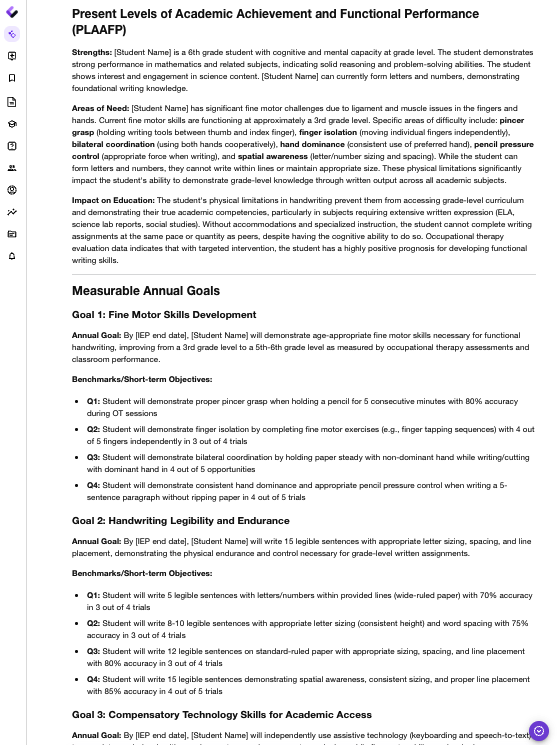
Start producing IEP plans and documents.
Use Colleague AI to draft the present levels of academic achievement and functional performance, measurable annual goals, an accommodations and modifications list formatted for IEP documentation, supplementary aids and services, and any special considerations, ready for you to review, edit, and bring into the meeting.
Turn student details into a full IEP draft.
Describe the student, and Colleague AI drafts the present levels, the goals, and the accommodations, ready for you to review before the IEP team ever sits down.
Try it now →